Catch involuntary churn before it closes the door on recovery
Every morning, WebRun opens Chargebee, identifies subscriptions cancelled involuntarily due to payment failure in the past 24 hours, segments them by MRR value, posts a prioritized alert list to Slack for the retention team, and queues high-value cases for an SMS outreach draft via Twilio for manager approval.
- No credit card
- Under $0.01 per run
- Cancel anytime
How do I automatically detect and act on involuntary subscription churn?
Every morning, WebRun scans Chargebee for subscriptions cancelled due to payment failure in the past 24 hours, ranks them by MRR value, and posts a prioritized alert to your retention team in Slack. High-value cases get an SMS draft queued in Twilio for manager approval before any outreach is sent.
- Involuntary churn is surfaced within hours, not discovered days later
- High-value at-risk accounts are prioritized automatically by MRR
- No recovery outreach goes out without manager approval
Built for SaaS retention teams · subscription businesses · customer success · billing operations
What does WebRun do on every run?
The exact actions WebRun takes, in order - in plain language, so you can adjust anything.
-
WebRun signs in and gets to work
Opens
app.chargebee.com/loginin a real browser with your saved login - no setup, no API keys. -
1
Chargebee - find involuntarily churned subscriptions
chargebee.com How to Automate Chargebee
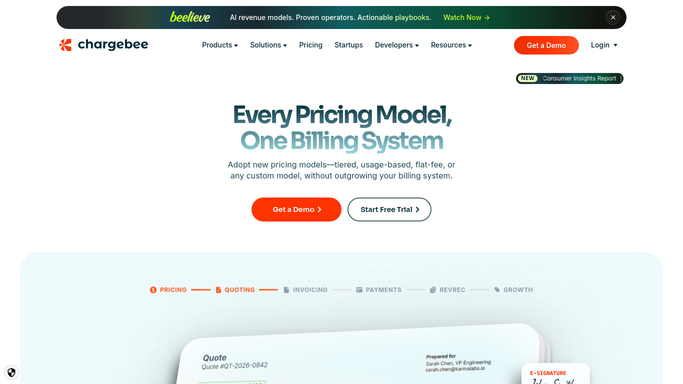
WebRun opens Chargebee to find involuntarily churned subscriptions. - Open Chargebee and filter subscriptions cancelled in the last 24 hours with cancellation reason set to payment failure
- Capture customer name, email, phone, plan, MRR value, and last payment failure reason
- Segment into high-value (over threshold you set) and standard tiers
Done when All involuntary churn events from the past 24 hours are listed and segmented by MRR.
-
2
Slack - alert retention team with priority list
slack.com How to Automate Slack

WebRun opens Slack to alert retention team with priority list. - Post a ranked alert to the retention Slack channel, highest MRR first
- Include customer name, plan, MRR value, failure reason, and Chargebee record link
- Tag the account owner for each high-value customer
Done when The retention team has a prioritized involuntary churn alert in Slack.
-
3
Twilio - queue SMS draft for high-value cases
twilio.com How to Automate Twilio

WebRun opens Twilio to queue SMS draft for high-value cases. - For high-value churned customers with a phone number on file, compose an SMS draft
- Keep the message concise: customer name, a short payment update prompt, and a callback number
- Queue the draft for manager review and approval before any SMS is sent
Done when SMS drafts for high-value cases are queued in Twilio awaiting manager approval.
How is each run configured?
Secure by default
Connect once, stays signed in
WebRun signs in once and keeps each session in a persistent environment, so every run picks up right where it left off.
Every action is checked against this policy before it runs.
Questions, answered
Will it send the SMS to the customer automatically?
No. Any SMS to a churned customer is drafted in Twilio and held for manager approval. No message reaches the customer without explicit sign-off.
How does it distinguish involuntary churn from voluntary cancellations?
It filters Chargebee cancellations where the cancellation reason is linked to payment failure, so voluntary cancellations and downgrades are excluded from the alert.
What counts as a high-value case for SMS outreach?
You set the MRR threshold during setup. Only customers above that monthly value have an SMS draft queued; everyone else appears in the Slack alert for standard email follow-up.
Related templates
Put this on autopilot.
Turn it on in minutes - or have our team set it up for you.