Catch a Statusbrew reply about to breach its response SLA
Every hour, WebRun opens Statusbrew, checks the unified inbox for comments and DMs closing in on your team's response SLA, logs each one to Airtable with time remaining, and emails you when something is about to breach so it can get reassigned before it does.
- No credit card
- Under $0.01 per run
- Cancel anytime
How do I stop Statusbrew replies from breaching their response SLA?
WebRun checks Statusbrew's unified inbox every hour for comments and DMs closing in on your response SLA, logs each one to Airtable with time remaining, and emails you from your own Gmail account before a breach happens. It never sends a reply itself, so the actual response stays with your team.
- An SLA breach gets caught with enough time left to fix it
- Every open item is logged with a clear owner and deadline
- Slow response patterns show up in the Airtable log over time
Built for Enterprise social teams · customer support leads · social media agencies · community management teams
What does WebRun do on every run?
The exact actions WebRun takes, in order - in plain language, so you can adjust anything.
-
WebRun signs in and gets to work
Opens
statusbrew.comin a real browser with your saved login - no setup, no API keys. -
1
Statusbrew - check comments and DMs against the SLA clock
statusbrew.com
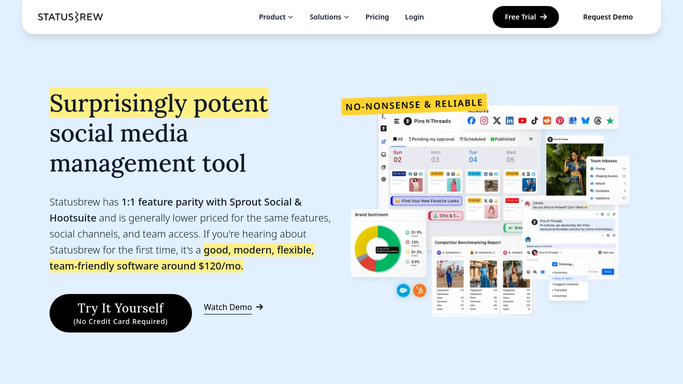
WebRun opens Statusbrew to check comments and DMs against the SLA clock. - Open the unified inbox in Statusbrew
- Check comments and DMs still awaiting a reply against your SLA rules
- Note the time remaining before each one breaches
Done when Every open item's time to breach has been checked.
-
2
Airtable - log each item and its time remaining
airtable.com How to Automate Airtable

WebRun opens Airtable to log each item and its time remaining. - Open the SLA tracker base
- Log each open item with its assigned owner and time remaining
- Update the status of anything replied to since the last check
Done when Every open item is logged with a current SLA status.
-
3
Gmail - email you before a breach
gmail.com How to Automate Gmail

WebRun opens Gmail to email you before a breach. - Draft a warning email for anything within 30 minutes of breaching
- Send it to you from your own Gmail account
- List the owner it's currently assigned to
Done when You've been emailed about every item at risk of breaching its SLA.
How is each run configured?
Secure by default
Connect once, stays signed in
WebRun signs in once and keeps each session in a persistent environment, so every run picks up right where it left off.
Every action is checked against this policy before it runs.
Questions, answered
Does WebRun reply to comments or DMs to beat the SLA?
No. It only tracks the clock and warns you before time runs out. Writing and sending the actual reply is still done by a person.
How is this different from Statusbrew's own smart rules?
Smart rules route items to the right person. WebRun adds a second layer that watches the SLA clock itself and escalates by email before a breach happens.
What happens after the warning email?
It's a nudge to reassign or prioritize the item. Airtable keeps the log so you can also see which items are breaching most often.
Related templates
Put this on autopilot.
Turn it on in minutes - or have our team set it up for you.