Chase overdue supplier invoices so your payables stay current
Every Monday, WebRun opens QuickBooks, identifies supplier invoices that are past due, cross-references each vendor against your RICS purchase order records, drafts a polite follow-up email for each, and saves the drafts in Gmail for your approval before any email is sent.
- No credit card
- Under $0.01 per run
- Cancel anytime
How do I automatically chase overdue supplier invoices for my sporting goods store?
WebRun opens QuickBooks every Monday to find overdue supplier invoices, cross-references each against RICS Software purchase records to check whether goods arrived, and drafts a tailored follow-up email in Gmail for each vendor. No email reaches a supplier until your accounts team approves and sends the draft.
- Overdue vendor invoices are spotted and drafted for follow-up every Monday without manual chasing
- Follow-up tone adjusts automatically based on whether goods were received in RICS
- No vendor email is sent without your explicit approval
Built for sporting goods retailers · footwear store owners · retail accounts payable teams · independent sporting goods shops
What does WebRun do on every run?
The exact actions WebRun takes, in order - in plain language, so you can adjust anything.
-
WebRun signs in and gets to work
Opens
quickbooks.intuit.comin a real browser with your saved login - no setup, no API keys. -
1
QuickBooks - identify overdue supplier invoices
- Open QuickBooks and navigate to Accounts Payable reports
- Filter for invoices past their due date from sporting goods and footwear suppliers
- Capture vendor name, invoice number, amount, due date, and days overdue for each
Done when All overdue supplier invoices are listed with vendor details and days outstanding.
-
2
RICS Software - cross-reference vendor purchase order history
ricssoftware.com How to Automate RICS Software
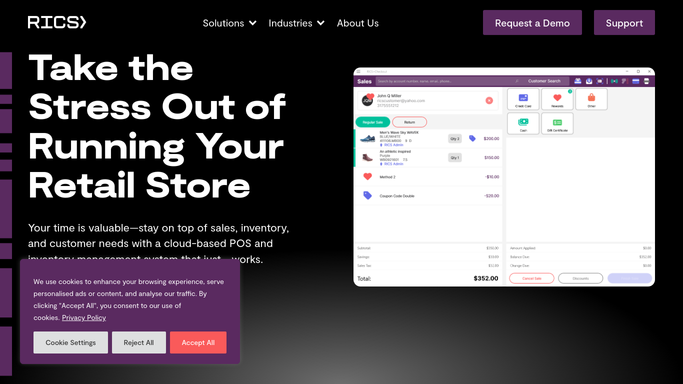
WebRun opens RICS Software to cross-reference vendor purchase order history. - Look up each overdue vendor in RICS Software purchase order history
- Note whether goods on the invoice have been received and whether there are any open disputes
- Flag any invoice where goods were not received so the follow-up query is adjusted accordingly
Done when Each overdue invoice is cross-referenced with RICS receiving records and dispute notes captured.
-
3
Gmail - save a follow-up draft for each overdue vendor
gmail.com How to Automate Gmail

WebRun opens Gmail to save a follow-up draft for each overdue vendor. - Draft a polite, professional follow-up email for each overdue vendor
- Reference the invoice number, amount, and days overdue in the body
- For invoices tied to unreceived goods, draft a query email rather than a payment reminder
- Save all drafts in Gmail without sending. Leave them for the owner or accounts team to review.
Done when A draft follow-up email is saved in Gmail for every overdue vendor. Nothing has been sent.
How is each run configured?
Secure by default
Connect once, stays signed in
WebRun signs in once and keeps each session in a persistent environment, so every run picks up right where it left off.
Every action is checked against this policy before it runs.
Questions, answered
Will it send emails to suppliers without my approval?
No. Every follow-up email is saved as a Gmail draft and waits for your review. No vendor receives anything until you approve and send the draft.
How does it handle invoices where goods have not arrived yet?
WebRun checks your RICS receiving records. If goods are not yet received, it drafts a query email asking about the shipment status instead of a standard payment-due reminder.
What if a supplier invoice is already in dispute?
If you note a dispute in QuickBooks or RICS, WebRun flags the invoice in the draft and skips the standard reminder language, leaving the follow-up wording to your discretion.
Related templates
Put this on autopilot.
Turn it on in minutes - or have our team set it up for you.