Roll out price changes across your store without missing a ticket
When you trigger a price change run, WebRun opens the price-change Google Sheet you prepared, reads each SKU and its new price, updates the price in RICS Software one by one, logs every change with a timestamp and status, and posts a completion summary to Slack when finished.
- No credit card
- Under $0.01 per run
- Cancel anytime
How do I automatically apply a price change list to RICS Software?
WebRun reads your approved price-change list from Google Sheets, applies each new price to the correct SKU in RICS Software, logs every change with a timestamp, and posts a Slack summary when finished. Only rows marked as approved by your team are applied, so no unauthorized price changes go through.
- Price changes applied to dozens of SKUs in minutes instead of hours
- Every change logged with a timestamp for a clean audit trail
- Unapproved rows skipped automatically so no unauthorized price changes slip through
Built for sporting goods merchandise managers · footwear retail buyers · multi-location retail ops teams · run specialty shops
What does WebRun do on every run?
The exact actions WebRun takes, in order - in plain language, so you can adjust anything.
-
WebRun signs in and gets to work
Opens
www.ricssoftware.comin a real browser with your saved login - no setup, no API keys. -
1
Google Sheets - read the approved price-change list
google.com How to Automate Google Sheets

WebRun opens Google Sheets to read the approved price-change list. - Open the designated price-change Google Sheet
- Read each row: SKU, current price, new price, effective date, and the approver's sign-off column
- Skip any row where the approver column is empty. Only apply approved changes.
Done when All approved price-change rows are read and ready for application in RICS.
-
2
RICS Software - apply each price change to the correct SKU
ricssoftware.com How to Automate RICS Software
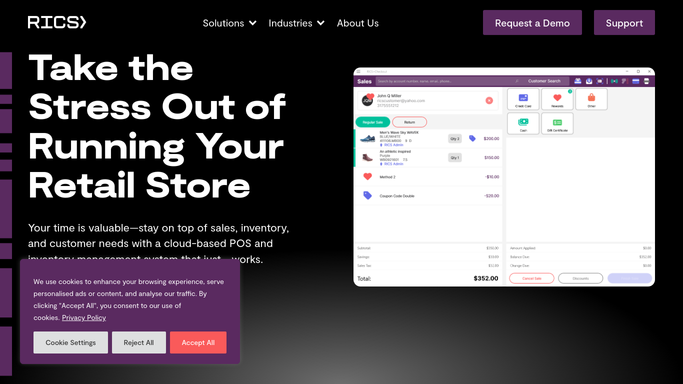
WebRun opens RICS Software to apply each price change to the correct SKU. - Open RICS Software and navigate to Inventory and product pricing
- Locate each SKU from the approved list and update its retail price to the new value
- Note the update status (success or error) for each SKU
- Log the timestamp of each successful change for the audit trail
Done when All approved SKU prices are updated in RICS Software with success or error status recorded.
-
3
Slack - post the completion summary and any failed updates
slack.com How to Automate Slack

WebRun opens Slack to post the completion summary and any failed updates. - Post a completion summary to the operations Slack channel listing total changes applied, any SKUs that errored, and a link to the audit log in Google Sheets
- Flag any failed updates in red so they can be resolved manually
Done when The Slack completion summary is posted with the count of updates applied and any errors flagged.
How is each run configured?
Secure by default
Connect once, stays signed in
WebRun signs in once and keeps each session in a persistent environment, so every run picks up right where it left off.
Every action is checked against this policy before it runs.
Questions, answered
Can it change prices without a human approving the list first?
No. WebRun only applies changes to rows in Google Sheets where an approver has signed off. Unapproved rows are skipped every time, so no price changes without authorization.
What if a SKU fails to update in RICS?
Failed updates are flagged in the Slack summary and in the audit log in Google Sheets so your team can investigate and apply them manually. WebRun does not retry silently.
Does it update online store prices as well?
This workflow updates prices in RICS Software. If your ecommerce platform syncs from RICS automatically, prices will propagate there too. Otherwise, configure a separate WebRun run for your online store.
Related templates
Put this on autopilot.
Turn it on in minutes - or have our team set it up for you.