Triage negative reviews before they damage your reputation
Every morning, WebRun checks your Google Business profile for new one- and two-star reviews, looks up the reviewer in RICS Software to understand their purchase history, drafts a professional reply, and sends you a Telegram alert with the draft so you can post it after review.
- No credit card
- Under $0.01 per run
- Cancel anytime
How do I automatically triage and draft replies to negative reviews for my sporting goods store?
WebRun checks your Google Business profile every morning for new one- and two-star reviews, looks up each reviewer in RICS Software for purchase context, drafts a professional reply, and sends you the draft via Telegram. You approve and post the reply yourself, so no response goes public without your sign-off.
- Negative reviews get a drafted reply within hours of posting
- Responses are personalized using real purchase history from RICS
- No reply goes public without your explicit approval
Built for sporting goods retailers · footwear store owners · run specialty shops · multi-location retail managers
What does WebRun do on every run?
The exact actions WebRun takes, in order - in plain language, so you can adjust anything.
-
WebRun signs in and gets to work
Opens
business.google.comin a real browser with your saved login - no setup, no API keys. -
1
Google Business - find new one- and two-star reviews
business.google.com How to Automate Google Business

WebRun opens Google Business to find new one- and two-star reviews. - Open Google Business profile and navigate to Reviews
- Filter for reviews with one or two stars posted since the last run
- Capture the reviewer name, star rating, review text, and date for each
Done when All new negative reviews are identified with their full text and reviewer details.
-
2
RICS Software - look up the reviewer's purchase history
ricssoftware.com How to Automate RICS Software
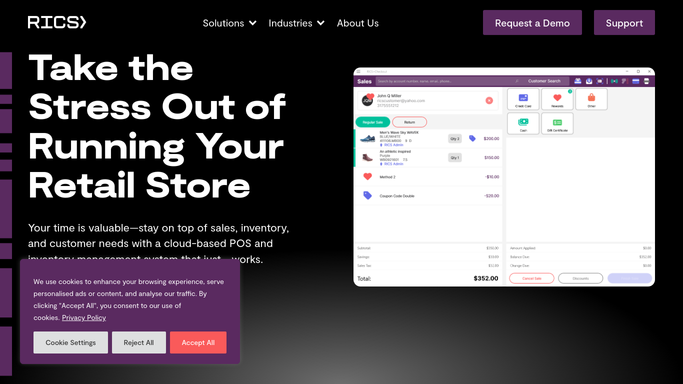
WebRun opens RICS Software to look up the reviewer's purchase history. - Search RICS Software customer records for the reviewer's name or email if available
- Note any recent transactions, returns, or service interactions that may explain the complaint
- Flag if this is a repeat customer whose issue is worth a personal follow-up
Done when Each reviewer's purchase history and context are noted for use in the reply draft.
-
3
Telegram - send you the drafted reply for approval
telegram.org How to Automate Telegram

WebRun opens Telegram to send you the drafted reply for approval. - Draft a courteous, professional reply that acknowledges the issue and invites offline resolution
- Send a Telegram message to the owner with the review text and the draft reply
- Wait for the owner to approve and post the reply manually. Never post without approval.
Done when You have received a Telegram alert with the draft reply for every new negative review.
How is each run configured?
Secure by default
Connect once, stays signed in
WebRun signs in once and keeps each session in a persistent environment, so every run picks up right where it left off.
Every action is checked against this policy before it runs.
Questions, answered
Will it post replies to Google without my approval?
No. WebRun drafts the reply and sends it to you via Telegram. You read the draft and post it yourself. Nothing is published on your Google Business profile without your action.
How does the customer context from RICS help?
Knowing whether the reviewer is a first-time buyer or a loyal repeat customer helps tailor the tone of the reply and decide whether a personal follow-up call is warranted.
What if the reviewer is not in RICS Software?
WebRun still drafts a professional reply using the review text alone. The purchase lookup is a bonus when the data is available, not a requirement.
Related templates
Put this on autopilot.
Turn it on in minutes - or have our team set it up for you.