Report on every speech therapist's utilization and productivity each week
Every Monday, WebRun opens WebPT, calculates last week's scheduled versus completed visits, cancellation rate, documentation completion rate, and average daily visits for each speech therapist, then posts a clean per-therapist utilization summary to Slack for the clinical director to review.
- No credit card
- Under $0.01 per run
- Cancel anytime
How do I automatically report on speech therapist utilization and productivity each week?
WebRun opens WebPT every Monday, calculates last week's visit completion rate, cancellation rate, and documentation completion percentage for every speech therapist, and posts a per-therapist utilization summary to Slack. Clinical directors spot underperformance and rebalance caseloads without pulling manual reports.
- Clinical directors review last week's utilization before Monday morning rounds
- Underperforming completion or documentation rates are flagged automatically
- Practice-wide averages give context for individual therapist metrics
Built for SLP clinical directors · speech therapy practice owners · therapy operations managers · multi-location rehab clinics
What does WebRun do on every run?
The exact actions WebRun takes, in order - in plain language, so you can adjust anything.
-
WebRun signs in and gets to work
Opens
www.webpt.com/loginin a real browser with your saved login - no setup, no API keys. -
1
WebPT - calculate last week's utilization metrics per therapist
webpt.com How to Automate WebPT
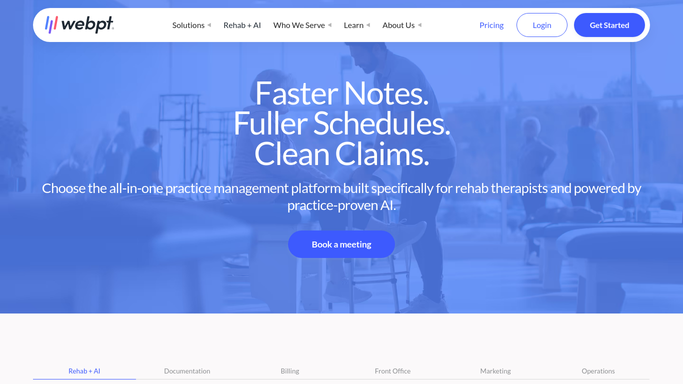
WebRun opens WebPT to calculate last week's utilization metrics per therapist. - Open WebPT and navigate to the productivity or schedule reports section
- For each speech therapist, pull last week's scheduled visits, completed visits, no-shows, and cancellations
- Calculate each therapist's completion rate, cancellation rate, and average daily visits
- Pull documentation completion percentage for each therapist for the same period
Done when Utilization and documentation completion metrics are calculated for every speech therapist for last week.
-
2
Slack - post per-therapist utilization summary
slack.com How to Automate Slack

WebRun opens Slack to post per-therapist utilization summary. - Post a per-therapist utilization table to the clinical director's Slack channel
- Flag any therapist with a completion rate below 80% or a documentation rate below 90%
- Include a brief summary line with the practice-wide averages for context
Done when The clinical director has last week's utilization report in Slack before Monday morning.
How is each run configured?
Secure by default
Connect once, stays signed in
WebRun signs in once and keeps each session in a persistent environment, so every run picks up right where it left off.
Every action is checked against this policy before it runs.
Questions, answered
Does it share therapist performance data with anyone outside the clinical director?
No. WebRun posts the report to a Slack channel you specify, typically visible only to clinical leadership. You control which channel receives the report at setup.
What thresholds trigger a flag in the report?
The defaults are a visit completion rate below 80% or a documentation completion rate below 90%. Both thresholds are adjustable when you set up the workflow to match your practice standards.
Can it cover multiple clinic locations?
Yes. WebRun pulls data for all speech therapists in your WebPT account regardless of location, and you can filter the Slack report by location or include all in one summary.
Related templates
Put this on autopilot.
Turn it on in minutes - or have our team set it up for you.