Get your crew storm-ready before the snow starts
The moment the National Weather Service issues a winter storm watch or warning for your service area, WebRun checks driver, subcontractor, and equipment availability in Yeti Software against the storm's onset time, then posts a staffing reminder to Slack naming any gap.
- No credit card
- Under $0.01 per run
- Cancel anytime
How do I get staffing reminders before a winter storm hits?
The moment the National Weather Service issues a winter storm watch or warning for your service area, WebRun checks driver, subcontractor, and equipment availability in Yeti Software against the storm's onset time. It posts a staffing reminder to Slack naming any gap, so supervisors have 12 to 48 hours of lead time to fix coverage before the snow starts.
- Staffing gaps surface 12 to 48 hours before a storm, not during it
- Supervisors get one readiness reminder instead of checking three systems
- Equipment issues are caught before trucks need to roll
Built for snow removal contractors · operations supervisors · multi-crew snow operations · dispatch managers
What does WebRun do on every run?
The exact actions WebRun takes, in order - in plain language, so you can adjust anything.
-
WebRun signs in and gets to work
Opens
www.yetisoftware.com/loginin a real browser with your saved login - no setup, no API keys. -
1
National Weather Service - watch for a storm watch or warning
weather.gov
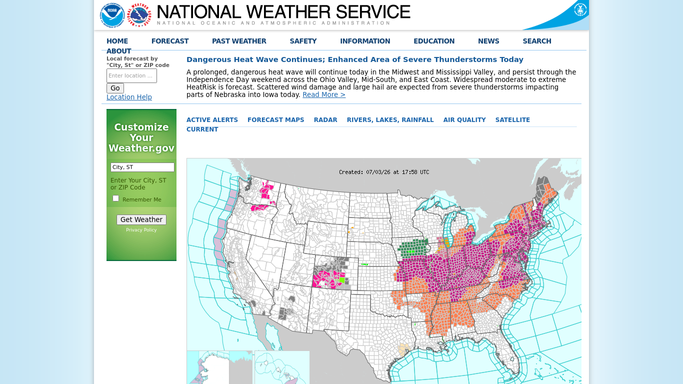
WebRun opens National Weather Service to watch for a storm watch or warning. - Watch the forecast for your service area for a winter storm watch or warning
- Note the expected onset time and snowfall or ice range
- Check whether the trigger applies to plow, salt, or both
Done when A storm watch or warning for your area has been confirmed with its onset time.
-
2
Yeti Software - check driver and equipment availability
yetisoftware.com How to Automate Yeti Software

WebRun opens Yeti Software to check driver and equipment availability. - Open Yeti Software and check which drivers and subs are marked available for the onset window
- Check equipment status for any truck or spreader flagged out of service
- Note any site with special pre-storm instructions, like early salting
Done when Driver, sub, and equipment availability is confirmed against the storm onset window.
-
3
Slack - remind supervisors to confirm coverage
slack.com How to Automate Slack

WebRun opens Slack to remind supervisors to confirm coverage. - Post a staffing reminder to supervisors with the onset time and current availability
- Flag any gap, like an unavailable driver or an out-of-service truck
Done when Supervisors have a storm readiness reminder with enough lead time to fix any gap.
How is each run configured?
Secure by default
Connect once, stays signed in
WebRun signs in once and keeps each session in a persistent environment, so every run picks up right where it left off.
Every action is checked against this policy before it runs.
Questions, answered
Does it change anyone's schedule on its own?
No. It only posts a reminder with current availability and any gap. A supervisor still confirms or reassigns coverage themselves.
How early does the reminder go out?
As soon as the National Weather Service issues a watch or warning for your area, which is typically 12 to 48 hours before onset.
What if availability changes after the reminder posts?
It reads live availability from Yeti Software each time a watch or warning is issued, so an update to a driver's status is picked up on the next alert.
Related templates
Put this on autopilot.
Turn it on in minutes - or have our team set it up for you.