Route every new sleep medicine referral to the right provider and send an intake task
Every hour, WebRun checks CareCloud for new incoming referrals flagged for sleep medicine, reads the referral type and clinical notes, assigns a provider based on your routing rules, logs the referral to Airtable with all intake details, and pings the coordinator in Slack so the patient is scheduled within the same business day.
- No credit card
- Under $0.01 per run
- Cancel anytime
How do I automatically route new sleep medicine referrals to the right provider?
Every hour, WebRun checks CareCloud for new sleep medicine referrals, reads the clinical type and insurance, assigns a provider by your routing rules, and logs each to Airtable with full intake details. A Slack notification alerts the coordinator so every referral is reviewed and scheduled within the same business day.
- New referrals are assigned and logged within an hour of arriving in CareCloud
- No referral sits in the inbox unreviewed past the same business day
- Incomplete referrals are flagged immediately so follow-up with referring offices happens fast
Built for sleep medicine intake coordinators · sleep clinic schedulers · practice managers · referral management staff
What does WebRun do on every run?
The exact actions WebRun takes, in order - in plain language, so you can adjust anything.
-
WebRun signs in and gets to work
Opens
app.carecloud.comin a real browser with your saved login - no setup, no API keys. -
1
CareCloud - detect and read new incoming sleep medicine referrals
carecloud.com How to Automate CareCloud
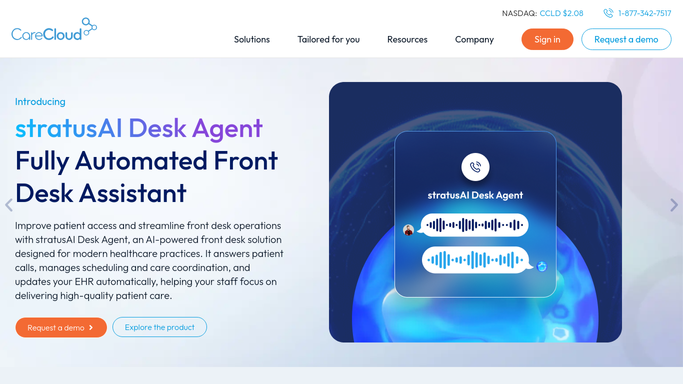
WebRun opens CareCloud to detect and read new incoming sleep medicine referrals. - Open CareCloud and check the Referral Management inbox for new referrals received in the past hour
- Read the referral type, referring provider, insurance, and any clinical urgency notes
- Match the referral to the appropriate sleep medicine provider based on specialty type and schedule availability
Done when Every new referral is read and matched to a provider based on your routing rules.
-
2
Airtable - log referral with routing assignment and intake status
airtable.com How to Automate Airtable

WebRun opens Airtable to log referral with routing assignment and intake status. - Open the sleep medicine referral intake base in Airtable
- Create a new record for each referral with referring provider, insurance, clinical notes, assigned provider, and intake status
- Set the status to New so the coordinator knows it needs scheduling
Done when Every new referral is logged in Airtable with full intake details and assigned provider.
-
3
Slack - notify intake coordinator of new referral to action
slack.com How to Automate Slack

WebRun opens Slack to notify intake coordinator of new referral to action. - Post a notification to the intake coordinator Slack channel for each new referral with the assigned provider and referral type
- Include a link to the Airtable record so the coordinator can open it and start scheduling
Done when The intake coordinator is notified in Slack and has one-click access to each new referral record.
How is each run configured?
Secure by default
Connect once, stays signed in
WebRun signs in once and keeps each session in a persistent environment, so every run picks up right where it left off.
Every action is checked against this policy before it runs.
Questions, answered
Will it schedule the patient or contact them automatically?
No. WebRun logs the referral, assigns a provider, and alerts your intake coordinator internally. Scheduling and patient contact are handled by staff, ensuring your team reviews clinical details and insurance eligibility before booking.
How does it know which provider to assign?
It follows your configured routing rules in Airtable: for example, routing diagnostic sleep studies to one provider, CPAP follow-ups to another, and pediatric cases to a third. You define the rules; WebRun applies them every run.
What if a referral has incomplete information?
Referrals with missing insurance or clinical details are flagged as Incomplete in Airtable and highlighted in the Slack notification so the coordinator knows to follow up with the referring office before scheduling.
Related templates
Put this on autopilot.
Turn it on in minutes - or have our team set it up for you.