Flag CPAP non-compliant patients and queue follow-up actions
Every Monday, WebRun opens CareCloud and identifies patients flagged for low CPAP compliance, logs each to an Airtable worklist with days since last note and payer deadline, and posts a prioritized summary to Slack so the care team can reach out before coverage is at risk.
- No credit card
- Under $0.01 per run
- Cancel anytime
How do I track and follow up on CPAP compliance for sleep medicine patients?
Every Monday, WebRun scans CareCloud for patients with CPAP compliance gaps, ranks them by urgency and payer deadline, and logs each to an Airtable worklist. A Slack alert points the care team to this week's queue so follow-up happens before coverage is at risk, with no automated patient contact.
- CPAP compliance gaps are caught weekly before payer coverage deadlines lapse
- Care team opens Slack to a ranked follow-up list every Monday morning
- No patient outreach happens without a staff member reviewing the worklist first
Built for sleep medicine clinics · respiratory therapists · sleep clinic care coordinators · DME managers
What does WebRun do on every run?
The exact actions WebRun takes, in order - in plain language, so you can adjust anything.
-
WebRun signs in and gets to work
Opens
app.carecloud.comin a real browser with your saved login - no setup, no API keys. -
1
CareCloud - identify patients with low CPAP compliance
carecloud.com How to Automate CareCloud
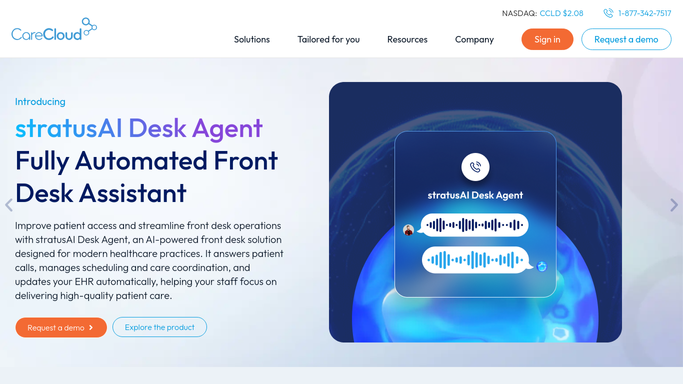
WebRun opens CareCloud to identify patients with low CPAP compliance. - Open CareCloud and navigate to the patient population view
- Filter to patients with a CPAP or APAP device order and a compliance note or task due
- Capture patient name, days since last compliance check, assigned provider, and payer
Done when Every patient with a pending CPAP compliance gap is listed with their provider and payer details.
-
2
Airtable - log prioritized follow-up worklist
airtable.com How to Automate Airtable

WebRun opens Airtable to log prioritized follow-up worklist. - Open the CPAP compliance worklist base in Airtable
- Add a new record for each patient, sorted by urgency based on days since last contact
- Mark records as Needs Outreach so staff can log their follow-up action
Done when All non-compliant patients are logged in Airtable with priority ranking and payer info.
-
3
Slack - alert care team to this week's compliance queue
slack.com How to Automate Slack

WebRun opens Slack to alert care team to this week's compliance queue. - Post this week's CPAP compliance queue count to the sleep team Slack channel
- Include the top three most urgent patients by days outstanding and a link to the Airtable base
Done when The care team has a Slack notification with the compliance worklist link ready to action.
How is each run configured?
Secure by default
Connect once, stays signed in
WebRun signs in once and keeps each session in a persistent environment, so every run picks up right where it left off.
Every action is checked against this policy before it runs.
Questions, answered
Will WebRun contact patients about their CPAP compliance automatically?
No. WebRun builds the worklist and alerts your care team internally via Airtable and Slack. All patient outreach is handled by staff, so no PHI is sent externally without human review.
How does it decide which patients are most urgent?
It sorts by days since the last documented compliance check in CareCloud and flags patients whose payer coverage window is closest to expiring, putting the highest-risk cases at the top of the Airtable list.
What if a patient already had a compliance check this week?
CareCloud is read fresh each Monday morning, so any patient with a compliance note dated this week is excluded from the worklist automatically.
Related templates
Put this on autopilot.
Turn it on in minutes - or have our team set it up for you.