Chase overdue home sleep test device returns before they become write-offs
Every morning, WebRun opens CareCloud and finds patients who received a home sleep test device more than three days ago with no recorded return. It logs each case to Google Sheets with dispatch date and device details, drafts a return reminder for staff review, and notifies the device coordinator via Telegram.
- No credit card
- Under $0.01 per run
- Cancel anytime
How do I automatically follow up on overdue home sleep test device returns?
Every morning, WebRun checks CareCloud for home sleep test devices dispatched more than three days ago with no recorded return. It logs each case to Google Sheets with device details and a drafted reminder, then alerts the device coordinator in Telegram so your team recovers equipment before it becomes a write-off.
- Overdue home sleep test devices are caught within three days, not three weeks
- Device coordinators start each morning with an up-to-date return queue in Telegram
- No patient contact is made without staff reviewing and approving the return reminder first
Built for sleep medicine device coordinators · sleep clinic administrators · sleep technologists · practice managers
What does WebRun do on every run?
The exact actions WebRun takes, in order - in plain language, so you can adjust anything.
-
WebRun signs in and gets to work
Opens
app.carecloud.comin a real browser with your saved login - no setup, no API keys. -
1
CareCloud - find home sleep test devices with no recorded return
carecloud.com How to Automate CareCloud
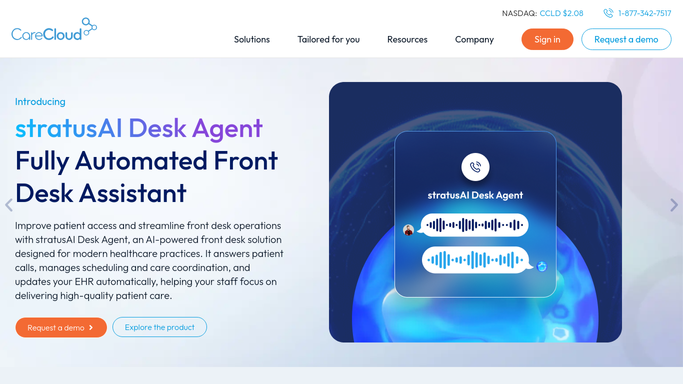
WebRun opens CareCloud to find home sleep test devices with no recorded return. - Open CareCloud and filter patient orders for home sleep test device dispatch within the past 14 days
- Identify patients with no return date recorded against their device order
- Capture patient name, dispatch date, device type, days outstanding, and contact number
Done when Every patient with an outstanding home sleep test device more than three days past dispatch is identified.
-
2
Google Sheets - log overdue returns with device and patient details
google.com How to Automate Google Sheets

WebRun opens Google Sheets to log overdue returns with device and patient details. - Open the home sleep test return tracker sheet
- Add a row for each overdue return with dispatch date, device type, days outstanding, and a drafted reminder message
- Mark each row Pending Review so staff approve the reminder before any patient contact
Done when All overdue device returns are logged in Google Sheets with drafted reminders pending staff approval.
-
3
Telegram - alert device coordinator to overdue returns
telegram.org How to Automate Telegram

WebRun opens Telegram to alert device coordinator to overdue returns. - Send an internal Telegram message to the device coordinator channel with today's overdue return count
- List the top five most overdue patients by days outstanding and a link to the Google Sheet
Done when The device coordinator is alerted in Telegram with a direct link to today's overdue return queue.
How is each run configured?
Secure by default
Connect once, stays signed in
WebRun signs in once and keeps each session in a persistent environment, so every run picks up right where it left off.
Every action is checked against this policy before it runs.
Questions, answered
Will it contact patients directly about returning their device?
No. WebRun drafts a return reminder and places it in Google Sheets for staff to review and approve before any patient contact. No message is sent to a patient without a staff member signing off.
How many days before a return is flagged as overdue?
The default threshold is three days after the device dispatch date, which matches standard home sleep test protocols. You can adjust this window to match your practice's equipment lending policy.
What if a patient already returned the device but it was not recorded in CareCloud?
Staff reviewing the Google Sheet queue can mark any row as Returned and add a note. WebRun skips records marked as resolved in subsequent runs so the list stays accurate.
Related templates
Put this on autopilot.
Turn it on in minutes - or have our team set it up for you.