Track every Slashdot story that mentions your company
Every morning, WebRun scans Slashdot's front page and comment threads for stories mentioning your company or product, logs each one to Google Sheets with a link and comment count, and sends a weekly roundup to Notion so the team can see how the tech community is reacting.
- No credit card
- Under $0.01 per run
- Cancel anytime
How do I track mentions of my company on Slashdot?
WebRun scans Slashdot every morning for stories and comment threads mentioning your company, logs each one to Google Sheets with its comment count and tone, and sends a weekly roundup to Notion. It never posts a comment on Slashdot itself, so every reply to the tech community still comes from a person.
- Every Slashdot mention lands in one tracked sheet instead of getting missed
- High-activity stories get flagged before the discussion moves on
- No manual searching through Slashdot's archives
Built for Tech companies · developer relations teams · PR teams · open source projects
What does WebRun do on every run?
The exact actions WebRun takes, in order - in plain language, so you can adjust anything.
-
WebRun signs in and gets to work
Opens
slashdot.orgin a real browser with your saved login - no setup, no API keys. -
1
Slashdot - scan stories and comments for mentions
slashdot.org
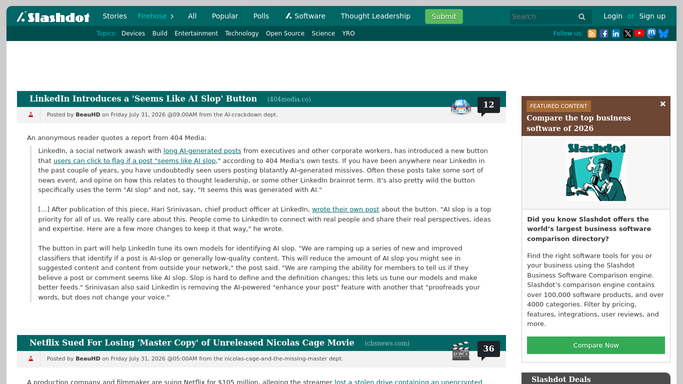
WebRun opens Slashdot to scan stories and comments for mentions. - Search Slashdot's front page and archives for your company or product name
- Open each matching story and its comment thread
- Note the comment count and the general tone of the discussion
Done when Every new mention since yesterday has been found and reviewed.
-
2
Google Sheets - log each mention
google.com How to Automate Google Sheets

WebRun opens Google Sheets to log each mention. - Open the mention tracker sheet
- Add a row for each mention with the story link, comment count, and tone
- Skip anything already logged
Done when Every new mention is logged as its own row.
-
3
Notion - send the weekly roundup
notion.so How to Automate Notion

WebRun opens Notion to send the weekly roundup. - Open the weekly monitoring page in Notion
- Summarize the week's mentions and how the discussion trended
- Flag any story with an unusually high comment count
Done when This week's mentions are summarized in Notion with high-activity stories flagged.
How is each run configured?
Secure by default
Connect once, stays signed in
WebRun signs in once and keeps each session in a persistent environment, so every run picks up right where it left off.
Every action is checked against this policy before it runs.
Questions, answered
Does WebRun post comments on Slashdot?
No. It only finds and logs mentions. Posting a comment or joining the discussion on Slashdot is left to you.
Why track comment count and tone?
A story with a lot of comments or a sharply negative tone is often worth a faster response, so those signals are called out first in the weekly roundup.
Does it check comments, not just the story headline?
Yes. It reads the comment threads too, since your company can get mentioned in the discussion even when the story itself is about something else.
Related templates
Put this on autopilot.
Turn it on in minutes - or have our team set it up for you.