Follow up with every new sign lead before they choose a competitor
Every morning, WebRun opens Cyrious, finds every new lead or customer inquiry added in the past 24 hours, drafts a personalised follow-up email for each prospect referencing their sign enquiry, saves the drafts in Gmail for your review, and posts a new-lead summary to Slack so the sales team knows what came in overnight.
- No credit card
- Under $0.01 per run
- Cancel anytime
How do I automatically follow up with new sign leads from Cyrious within 24 hours?
WebRun opens Cyrious every morning and finds every new sign lead or inquiry created in the past 24 hours. It drafts a personalised follow-up email for each prospect mentioning their sign type, saves the drafts in Gmail for your review, and posts a new-lead summary to Slack. No message goes out until you approve it, but every lead is ready to hear from you within hours of inquiry.
- Every new sign lead gets a draft follow-up within hours of inquiry
- Sales team sees all new leads in Slack before the morning is over
- No prospect is missed because a Cyrious record went unnoticed overnight
Built for sign shop sales teams · graphics company owners · sign and print studio managers · wide-format print and sign shops
What does WebRun do on every run?
The exact actions WebRun takes, in order - in plain language, so you can adjust anything.
-
WebRun signs in and gets to work
Opens
www.cyrious.comin a real browser with your saved login - no setup, no API keys. -
1
Cyrious - find new leads and inquiries added in the last 24 hours
cyrious.com How to Automate Cyrious
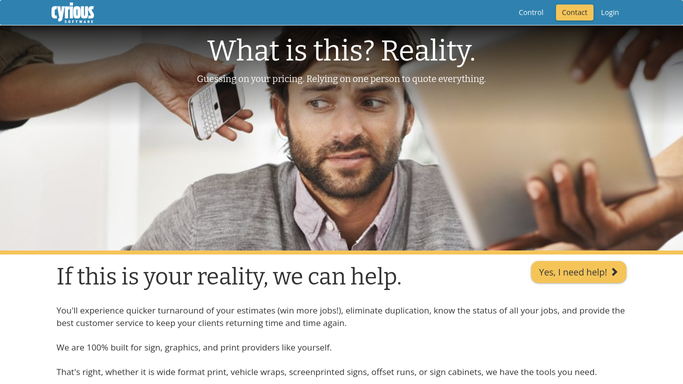
WebRun opens Cyrious to find new leads and inquiries added in the last 24 hours. - Open Cyrious and filter to new customer records or inquiries created in the past 24 hours
- Capture each prospect's name, contact email, sign type or project description, and source
- Note how long ago the inquiry was created to help prioritise follow-up order
Done when Every new lead from the past 24 hours is listed with contact details and project description.
-
2
Gmail - draft personalised follow-up emails for review
gmail.com How to Automate Gmail

WebRun opens Gmail to draft personalised follow-up emails for review. - Draft a warm, personalised follow-up email for each prospect mentioning the type of sign they asked about
- Invite them to share more details or arrange a consultation
- Save every draft unsent in Gmail for your review and approval before sending
Done when One draft follow-up per new lead is waiting in Gmail for your approval.
-
3
Slack - post new-lead summary to sales team
slack.com How to Automate Slack

WebRun opens Slack to post new-lead summary to sales team. - Post a brief new-lead summary to the sales channel listing each prospect and sign type
- Flag any lead that has been waiting more than 12 hours without a response
Done when The sales team has a Slack summary of every new lead that came in since yesterday.
How is each run configured?
Secure by default
Connect once, stays signed in
WebRun signs in once and keeps each session in a persistent environment, so every run picks up right where it left off.
Every action is checked against this policy before it runs.
Questions, answered
Will it contact new leads automatically without my review?
No. Every follow-up email is saved as a Gmail draft for your approval first. Nothing reaches a prospect until you review it and click send, so you control every first impression.
What if the same lead appears in Cyrious more than once?
WebRun deduplicates by customer email before drafting, so if the same person is entered twice only one draft is created. You can merge the duplicate records in Cyrious to keep things clean.
Can it handle leads from different sources, such as website forms and walk-ins?
Yes. It reads all new customer or lead records from Cyrious regardless of how they were entered, so whether the lead came from a web form, a call, or a walk-in it will be included.
Related templates
Put this on autopilot.
Turn it on in minutes - or have our team set it up for you.