Chase down past-due storage rent
Every morning, WebRun opens SiteLink, pulls every tenant account with a past-due balance, logs them to a Google Sheet with unit number, days overdue, and balance, and drafts a reminder notice in Gmail for each one. No notice is sent until you approve it.
- No credit card
- Under $0.01 per run
- Cancel anytime
How do I automatically track and remind past-due self-storage tenants?
WebRun opens SiteLink every morning, pulls every past-due tenant account, and logs unit number, balance, and days overdue to a Google Sheet. It then drafts a polite reminder in Gmail for each tenant. No notice leaves your account until a staff member reviews and approves it.
- Every past-due account is caught and logged before the business day starts
- Staff spend minutes approving notices instead of hours finding delinquencies
- No tenant is accidentally emailed without a human review
Built for self-storage operators · facility managers · storage business owners
What does WebRun do on every run?
The exact actions WebRun takes, in order - in plain language, so you can adjust anything.
-
WebRun signs in and gets to work
Opens
app.sitelink.comin a real browser with your saved login - no setup, no API keys. -
1
SiteLink - pull past-due tenant accounts
sitelink.com
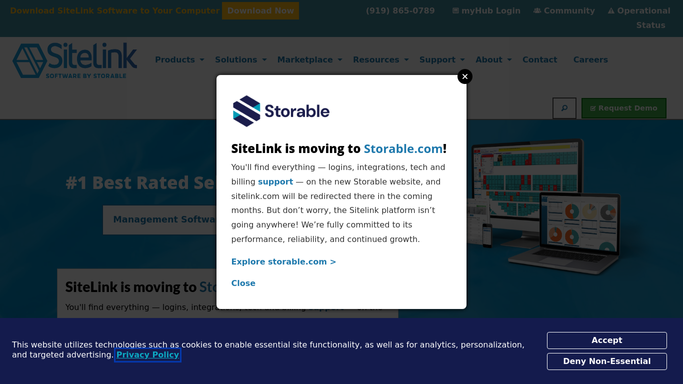
WebRun opens SiteLink to pull past-due tenant accounts. - Open SiteLink and navigate to the Delinquency report
- Filter for all tenant accounts with a balance past their due date
- Capture unit number, tenant name, balance owed, and days past due for each
Done when Every past-due tenant account is listed with its balance and days overdue.
-
2
Google Sheets - log chase list with balances
google.com How to Automate Google Sheets

WebRun opens Google Sheets to log chase list with balances. - Open the facility chase-list spreadsheet
- Append a new row for each delinquent tenant with unit, name, balance, and days overdue
- Mark any tenant who was also on yesterday's list so repeat offenders are visible
- Sort the sheet so the oldest and largest balances appear first
Done when The Google Sheet reflects today's full delinquency list, sorted by priority.
-
3
Gmail - draft reminder notices for approval
gmail.com How to Automate Gmail

WebRun opens Gmail to draft reminder notices for approval. - Draft a polite, on-brand payment reminder for each past-due tenant
- Include the unit number, amount owed, and a payment link in each draft
- Leave every draft unsent in your Gmail Drafts folder for review
- Never send any notice without explicit approval from a staff member
Done when A ready-to-review draft reminder sits in Gmail Drafts for every past-due tenant.
How is each run configured?
Secure by default
Connect once, stays signed in
WebRun signs in once and keeps each session in a persistent environment, so every run picks up right where it left off.
Every action is checked against this policy before it runs.
Questions, answered
Will it send reminder notices to tenants automatically?
No. WebRun drafts every notice and leaves it in your Gmail Drafts folder. Nothing is sent until a staff member reviews and approves each one.
What information appears on the chase list?
Each row shows the unit number, tenant name, balance owed, and number of days past due. Repeat delinquents are flagged so staff can spot patterns quickly.
What if a tenant pays before I send the draft?
WebRun reads the live account status in SiteLink each morning, so anyone who has cleared their balance is excluded from that day's run automatically.
Related templates
Put this on autopilot.
Turn it on in minutes - or have our team set it up for you.