Keep every guard license current before it lapses
Every Monday, WebRun opens Belfry, scans every officer's license and certification records for expiry dates within the next 60 days, posts an internal compliance summary to Slack, and drafts a renewal reminder email for each guard due for action, queued for your HR team to review and send.
- No credit card
- Under $0.01 per run
- Cancel anytime
How do I automatically track and remind guards about expiring licenses and certifications?
Every Monday, WebRun scans officer records in Belfry for licenses and certifications expiring within 60 days, posts a tiered compliance digest to your HR Slack channel, and drafts personalised renewal reminders in Gmail for each guard due for action, all queued for HR review before anything reaches a guard.
- No guard license lapses go unnoticed for more than a week
- HR receives a tiered urgency digest every Monday morning
- Draft renewal emails are ready to send in under a minute of HR review
Built for security HR managers · private security companies · compliance officers · contract security firms
What does WebRun do on every run?
The exact actions WebRun takes, in order - in plain language, so you can adjust anything.
-
WebRun signs in and gets to work
Opens
app.belfrysoftware.comin a real browser with your saved login - no setup, no API keys. -
1
Belfry - scan officer license and certification expiry dates
belfrysoftware.com
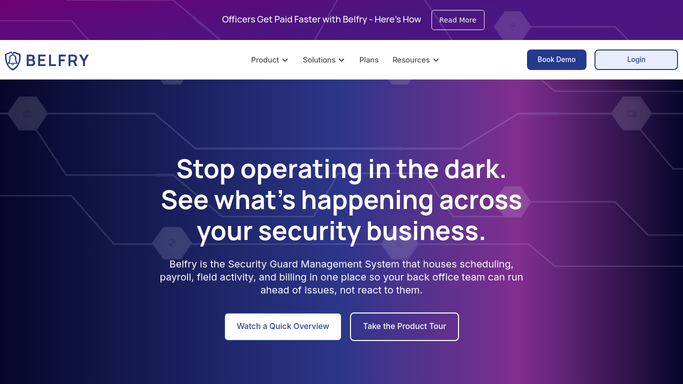
WebRun opens Belfry to scan officer license and certification expiry dates. - Open Belfry and navigate to the officer compliance or credentials section
- Pull every officer's license type, expiry date, and current status
- Flag any license or certification expiring within 60 days
- Group results by urgency: expiring within 14 days, 15 to 30 days, and 31 to 60 days
Done when Every officer with an expiring license is listed with days remaining and grouped by urgency tier.
-
2
Slack - post internal compliance summary to HR channel
slack.com How to Automate Slack

WebRun opens Slack to post internal compliance summary to HR channel. - Post a compliance summary to the HR Slack channel with counts by urgency tier
- List each officer name, license type, expiry date, and days remaining
- Mark any officer with less than 14 days as critical
Done when HR team has a full compliance summary in Slack with critical items highlighted.
-
3
Gmail - draft renewal reminder for each expiring officer
gmail.com How to Automate Gmail

WebRun opens Gmail to draft renewal reminder for each expiring officer. - Draft a personalised renewal reminder for each officer with an expiring license
- Include the license type, expiry date, and a note on renewal steps
- Leave all drafts unsent for HR to review and approve before sending
Done when A draft renewal reminder email is queued in Gmail for every officer flagged, ready for HR review.
How is each run configured?
Secure by default
Connect once, stays signed in
WebRun signs in once and keeps each session in a persistent environment, so every run picks up right where it left off.
Every action is checked against this policy before it runs.
Questions, answered
Will it send the renewal reminders to guards without HR approval?
No. Every reminder is left as a Gmail draft for your HR team to review and send. No email goes to a guard without a human approving it first.
How far in advance does it flag expiring licenses?
It flags any license expiring within 60 days, grouped into three urgency tiers: critical at 14 days or fewer, moderate at 15 to 30 days, and early at 31 to 60 days.
What if an officer has already renewed?
It reads the live credential data from Belfry each run, so officers whose licenses are now current are automatically skipped.
Related templates
Put this on autopilot.
Turn it on in minutes - or have our team set it up for you.