Flag your slow moving Sapaad menu items every week
Every Monday, WebRun opens Sapaad, compares each menu item's sales over the last four weeks against the four weeks before that, ranks the items with the steepest decline, and posts the slow movers to Slack with their category and current price so you can act on the menu before the next print run.
- No credit card
- Under $0.01 per run
- Cancel anytime
How do I find slow moving menu items in Sapaad automatically?
WebRun reviews your Sapaad item sales every Monday, comparing each menu item's last four weeks of units sold against the four weeks before, and posts a ranked slow-mover list to Slack with category, price, and units sold, so declining items get caught and fixed before the next menu print run.
- Declining menu items get caught within weeks, not at the next annual menu review
- Menu decisions are backed by an eight-week sales trend, not a gut feeling
- New items get a fair runway before being judged
Built for restaurant owners · executive chefs · menu engineers · multi-outlet restaurant operators
What does WebRun do on every run?
The exact actions WebRun takes, in order - in plain language, so you can adjust anything.
-
WebRun signs in and gets to work
Opens
www.sapaad.comin a real browser with your saved login - no setup, no API keys. -
1
Sapaad - compare item sales trend
sapaad.com How to Automate Sapaad
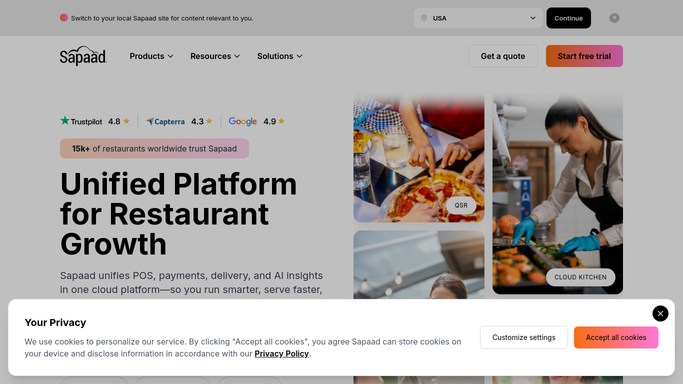
WebRun opens Sapaad to compare item sales trend. - Open Sapaad and pull the item sales report for the last eight weeks
- Compare each item's units sold in the last four weeks against the four weeks before
- Rank items by steepest percentage decline, excluding any item added in the last eight weeks
Done when Every menu item's four-week sales trend is calculated and ranked.
-
2
Slack - post the slow mover list
slack.com How to Automate Slack

WebRun opens Slack to post the slow mover list. - Post the ranked slow-mover list to your menu or management channel
- Include each item's category, current price, and units sold for context
- Leave pricing, placement, or menu changes for you to decide
Done when This week's slow-mover list is in Slack with enough context to act on it.
How is each run configured?
Secure by default
Connect once, stays signed in
WebRun signs in once and keeps each session in a persistent environment, so every run picks up right where it left off.
Every action is checked against this policy before it runs.
Questions, answered
How far back does it look before calling an item a slow mover?
It compares the last four weeks of Sapaad sales against the four weeks before that, so a single quiet week does not get an item flagged unfairly.
Does it remove items from the menu automatically?
No. It only ranks and posts the list to Slack. Whether to reprice, reposition, or drop an item stays your call.
Will a new item get flagged before it has had a chance to sell?
No. Items added within the last eight weeks are excluded, so new menu launches get a fair runway before they show up on the slow-mover list.
Related templates
Put this on autopilot.
Turn it on in minutes - or have our team set it up for you.