Track your Sapaad loyalty point redemptions every week
Every Monday, WebRun opens Sapaad, reads last week's loyalty module activity for points issued, points redeemed, and any manual adjustment made by staff, flags adjustments above your configured threshold, and posts the summary to Slack so loyalty spend stays visible and in line.
- No credit card
- Under $0.01 per run
- Cancel anytime
How do I track Sapaad loyalty point redemptions automatically?
WebRun reads your Sapaad loyalty module every Monday, tallies points issued against points redeemed, flags any manual point adjustment above your threshold with the employee and amount, and posts the summary to Slack, so loyalty spend stays visible and any unusual redemption pattern gets caught weekly instead of at year-end.
- Unusual point adjustments get caught weekly instead of at year-end
- Loyalty spend stays visible without pulling a manual report
- Every flagged adjustment arrives with the employee and amount attached
Built for restaurant owners · loyalty program managers · multi-outlet restaurant operators · restaurant finance managers
What does WebRun do on every run?
The exact actions WebRun takes, in order - in plain language, so you can adjust anything.
-
WebRun signs in and gets to work
Opens
www.sapaad.comin a real browser with your saved login - no setup, no API keys. -
1
Sapaad - read loyalty points activity
sapaad.com How to Automate Sapaad
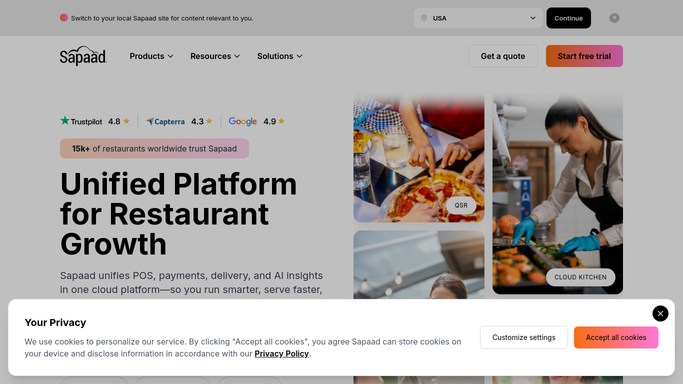
WebRun opens Sapaad to read loyalty points activity. - Open Sapaad's loyalty module and pull last week's points issued and points redeemed
- Separate redemptions triggered by the guest from any manual point adjustment made by staff
- Flag any manual adjustment above your configured point threshold
Done when Last week's points issued, redeemed, and any flagged manual adjustments are captured.
-
2
Slack - post the redemption summary
slack.com How to Automate Slack

WebRun opens Slack to post the redemption summary. - Post a summary of points issued versus redeemed for the week
- List any flagged manual adjustment with the employee, amount, and time
- Leave any follow-up on a flagged adjustment for a manager to review
Done when This week's loyalty redemption summary and any flagged adjustments are in Slack.
How is each run configured?
Secure by default
Connect once, stays signed in
WebRun signs in once and keeps each session in a persistent environment, so every run picks up right where it left off.
Every action is checked against this policy before it runs.
Questions, answered
What counts as a manual adjustment worth flagging?
Any staff-entered change to a guest's point balance, such as a manual credit or a comped redemption, above the point threshold you set during setup.
Does it change or reverse any guest's points?
No. It only reads and reports on Sapaad's loyalty activity. Reviewing or reversing any adjustment stays a manager decision.
Can it separate results by branch?
Yes. If your loyalty program runs across multiple outlets, set up a per-branch summary during onboarding so each location's redemption pattern is visible on its own.
Related templates
Put this on autopilot.
Turn it on in minutes - or have our team set it up for you.