Catch low stock ingredients in Sapaad before you run out
Every morning, WebRun opens Sapaad, checks the inventory module for any ingredient below its reorder point, drafts a reorder email to the matching supplier in Gmail for you to review and send, and posts the full shortlist to Slack so nothing catches the kitchen out mid-service.
- No credit card
- Under $0.01 per run
- Cancel anytime
How do I get alerted to low stock ingredients in Sapaad automatically?
WebRun checks Sapaad's inventory module every morning for ingredients below their reorder point, drafts a reorder email per supplier in Gmail for your review, and posts the full low stock shortlist to Slack, so you catch ingredient shortages before service instead of mid-shift, and nothing gets ordered without you sending it.
- Low ingredients are caught before service, not mid-shift
- Reorder emails are ready to review, not typed from scratch under pressure
- Nothing is ordered without a manager reviewing and sending it
Built for restaurant managers · kitchen managers · multi-outlet restaurant operators · central kitchen teams
What does WebRun do on every run?
The exact actions WebRun takes, in order - in plain language, so you can adjust anything.
-
WebRun signs in and gets to work
Opens
www.sapaad.comin a real browser with your saved login - no setup, no API keys. -
1
Sapaad - find ingredients below reorder point
sapaad.com How to Automate Sapaad
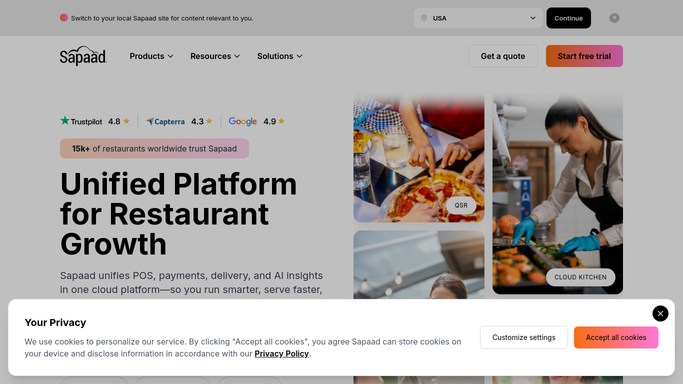
WebRun opens Sapaad to find ingredients below reorder point. - Open Sapaad's inventory module and pull current stock levels for every ingredient
- Compare each ingredient's on-hand quantity against its configured reorder point
- Group the ingredients below reorder point by their assigned supplier
Done when Every ingredient below its reorder point is identified and grouped by supplier.
-
2
Gmail - draft the supplier reorder email
gmail.com How to Automate Gmail

WebRun opens Gmail to draft the supplier reorder email. - Draft a reorder email per supplier listing each low ingredient and a suggested order quantity
- Leave every draft unsent in Gmail for you to review, adjust quantities, and send
- Never send a reorder email without your review
Done when A reviewable reorder draft is waiting in Gmail for every supplier with a low ingredient.
-
3
Slack - post the low stock shortlist
slack.com How to Automate Slack

WebRun opens Slack to post the low stock shortlist. - Post the full low stock shortlist to your kitchen or ops channel
- Flag any ingredient already below reorder point for two days running
- Note which supplier drafts are waiting for review
Done when Today's low stock shortlist is in Slack and every supplier draft is flagged for review.
How is each run configured?
Secure by default
Connect once, stays signed in
WebRun signs in once and keeps each session in a persistent environment, so every run picks up right where it left off.
Every action is checked against this policy before it runs.
Questions, answered
Will it order stock without me?
No. It only drafts the reorder email in Gmail and leaves it unsent. You review the quantities and supplier, then send it yourself.
How does it decide an ingredient is low?
It compares Sapaad's current on-hand quantity for each ingredient against the reorder point you set in the inventory module, so the threshold matches how you already run stock.
What if the same ingredient is low several days in a row?
It flags any ingredient that has stayed below reorder point for two days running, so a recurring shortage does not just blend into the daily list.
Related templates
Put this on autopilot.
Turn it on in minutes - or have our team set it up for you.