Keep your 340B self-audit sampling on schedule
Every quarter, WebRun opens Verity Solutions, pulls a random sample of accumulated claims sized to your program's volume, builds a review checklist in Google Sheets with each claim's key eligibility fields, and reminds your compliance officer in Microsoft Teams to complete the sampling before the quarter closes.
- No credit card
- Under $0.01 per run
- Cancel anytime
How do I keep quarterly 340B self-audit claim sampling on schedule?
WebRun keeps your quarterly 340B self-audit on schedule. It pulls a random, appropriately sized claim sample from Verity Solutions, builds a review checklist in Google Sheets covering eligibility, duplicate discount, and inventory match, and reminds your compliance officer in Microsoft Teams as the sampling deadline approaches, so no quarter's review gets missed.
- The quarterly self-audit sample is drawn automatically instead of someone remembering to do it
- Every sampled claim gets a ready to work checklist instead of a blank spreadsheet
- A reminder lands before the deadline, not after it has passed
Built for 340B compliance officers · covered entity program managers · hospital outpatient pharmacy · FQHC pharmacy directors
What does WebRun do on every run?
The exact actions WebRun takes, in order - in plain language, so you can adjust anything.
-
WebRun signs in and gets to work
Opens
app.verity-solutions.comin a real browser with your saved login - no setup, no API keys. -
1
Verity Solutions - pull a random claim sample
verity-solutions.com How to Automate Verity Solutions
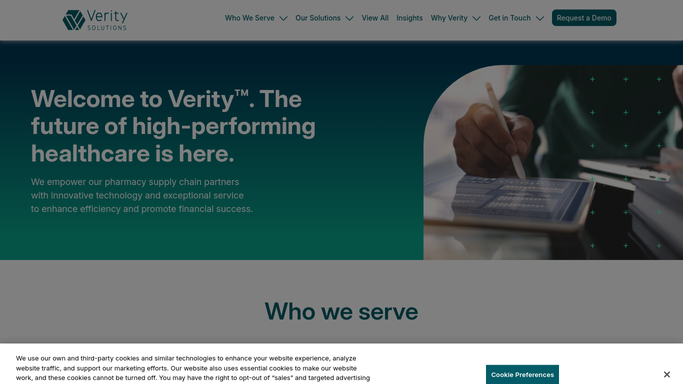
WebRun opens Verity Solutions to pull a random claim sample. - Open Verity Solutions and pull the quarter's accumulated claims
- Draw a random sample sized to your program's claim volume
- Capture each sampled claim's prescriber, patient location, and eligibility fields
Done when A random, appropriately sized claim sample has been drawn for the quarter.
-
2
Google Sheets - build the review checklist
google.com How to Automate Google Sheets

WebRun opens Google Sheets to build the review checklist. - Build a review checklist row for each sampled claim
- Add columns for the fields a self-audit typically checks: eligibility, duplicate discount, inventory match
- Leave a status column open for your team to mark each claim reviewed
Done when Every sampled claim has a checklist row ready for your team to work through.
-
3
Microsoft Teams - remind your compliance officer
microsoft.com How to Automate Microsoft Teams

WebRun opens Microsoft Teams to remind your compliance officer. - Post a reminder that the quarterly sample is ready with a link to the checklist
- Note how many days remain before the sampling window closes
- Send a follow-up reminder if the checklist is still incomplete a week before the deadline
Done when Your compliance officer has been reminded and knows the deadline for this quarter's sample.
How is each run configured?
Secure by default
Connect once, stays signed in
WebRun signs in once and keeps each session in a persistent environment, so every run picks up right where it left off.
Every action is checked against this policy before it runs.
Questions, answered
Does it submit our self-audit results to HRSA?
No. Self-audits are your covered entity's internal recordkeeping. WebRun only pulls the sample and builds the checklist, your team reviews it and keeps the results on file.
How is the sample size decided?
It sizes the random sample to your program's claim volume for the quarter, following the same proportional approach most 340B self-audit guidance recommends.
What happens if the checklist is not finished by the deadline?
It sends a follow-up reminder in Microsoft Teams about a week before the sampling window closes, so an incomplete checklist does not go unnoticed.
Related templates
Put this on autopilot.
Turn it on in minutes - or have our team set it up for you.