Bring last season's guests back before they book somewhere else
Every Monday during pre-season, WebRun opens RoverPass, pulls guests who stayed during the same period last year but have no booking yet for this season, drafts a personalised rebooking invitation for each in Gmail, and posts a Slack summary for your review before any email is sent.
- No credit card
- Under $0.01 per run
- Cancel anytime
How do I automatically invite last season's campsite guests to rebook for the new season?
WebRun opens RoverPass every Monday during pre-season, finds guests who stayed in the same period last year but have no booking yet for this season, and drafts a personalised rebooking invitation for each in Gmail. It posts a Slack summary so you can approve and send the invitations before loyal campers book elsewhere.
- Loyal returning guests hear from you before they search for alternatives
- Pre-season bookings fill faster because past guests are contacted early
- High-value long-stay guests are flagged for personal outreach before the bulk send
Built for RV park operators · campground marketing managers · seasonal campground owners
What does WebRun do on every run?
The exact actions WebRun takes, in order - in plain language, so you can adjust anything.
-
WebRun signs in and gets to work
Opens
software.roverpass.comin a real browser with your saved login - no setup, no API keys. -
1
RoverPass - find returning-guest candidates
roverpass.com
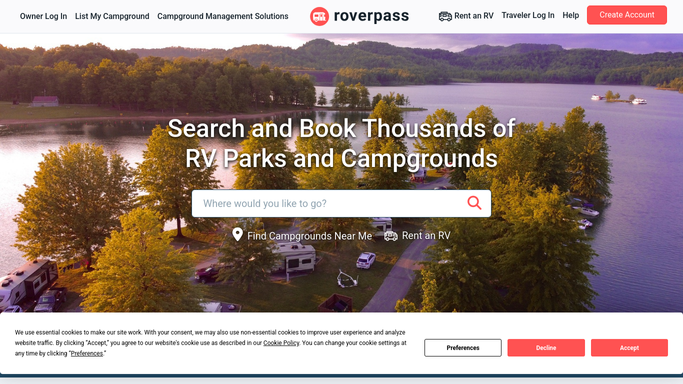
WebRun opens RoverPass to find returning-guest candidates. - Open RoverPass and pull guests who stayed during the equivalent period 12 months ago
- Filter out guests who have already made a reservation for the upcoming season
- Filter out guests with a prior complaint flag or a non-renewal note
- Capture guest name, site type previously booked, dates of last stay, and contact email
Done when Every eligible returning-guest candidate is listed with their prior stay details and contact.
-
2
Gmail - draft personalised rebooking invitations
gmail.com How to Automate Gmail

WebRun opens Gmail to draft personalised rebooking invitations. - Draft a personalised rebooking invitation for each guest, referencing their site type and last visit dates
- Include a warm welcome-back message and a clear call to action to reserve their spot early
- Optionally note any new amenities or events planned for the coming season
- Save each as a Gmail draft. Do not send until you approve
Done when A Gmail draft rebooking invitation is ready for every eligible returning-guest candidate.
-
3
Slack - alert you for review
slack.com How to Automate Slack

WebRun opens Slack to alert you for review. - Post a Slack summary listing how many rebooking invitations are drafted and the total returning-guest pool
- Note any high-value or long-stay guests at the top for personal outreach
- Include a link to Gmail Drafts for one-click review and send
Done when Your team has a weekly Slack summary and draft rebooking invitations ready for approval.
How is each run configured?
Secure by default
Connect once, stays signed in
WebRun signs in once and keeps each session in a persistent environment, so every run picks up right where it left off.
Every action is checked against this policy before it runs.
Questions, answered
Will it email returning guests automatically?
No. Every rebooking invitation is saved as a Gmail draft for your review. Nothing goes to a past guest until you approve and send it yourself.
What if a returning guest has already booked for this season?
WebRun checks RoverPass for existing reservations before drafting, so guests who have already booked are excluded from the batch automatically.
Can it target guests from a specific site type, such as pull-through RV sites?
Yes. Filter the campaign by site type when setting up WebRun and it will only draft invitations for guests who previously stayed on that site type.
Related templates
Put this on autopilot.
Turn it on in minutes - or have our team set it up for you.