Fill cancelled sites from your waitlist automatically
Every morning, WebRun checks Campspot for any reservations cancelled since the last run, matches the open dates against guests on the waitlist, drafts a personalised site-offer email for each match in Gmail, and posts a Slack summary for your review before any offer goes out.
- No credit card
- Under $0.01 per run
- Cancel anytime
How do I automatically fill cancelled campsites from my waitlist?
WebRun checks Campspot every morning for overnight cancellations, matches the newly open dates against your waitlist, and drafts a personalised site-offer email in Gmail for each best match. It posts your team a Slack summary so you can approve and send offers the same morning, recovering cancelled nights before they go unsold.
- Cancelled nights are offered to waitlist guests the same morning they open up
- Peak-season slots are recovered before they show as publicly available again
- Staff skip manual waitlist matching after every cancellation
Built for RV park operators · campground managers · outdoor hospitality owners
What does WebRun do on every run?
The exact actions WebRun takes, in order - in plain language, so you can adjust anything.
-
WebRun signs in and gets to work
Opens
app.campspot.comin a real browser with your saved login - no setup, no API keys. -
1
Campspot - detect cancellations and check waitlist
campspot.com
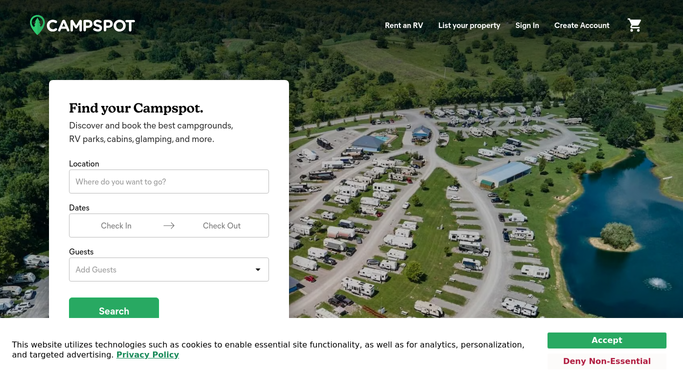
WebRun opens Campspot to detect cancellations and check waitlist. - Open Campspot and filter reservations for cancellations since the last run
- For each cancelled reservation, capture the site number, site type, open dates, and nightly rate
- Check the waitlist for guests whose requested dates and site type overlap the newly open slot
- Rank waitlist matches by how closely their dates align and how long they have been waiting
Done when Every cancellation has been matched to the best available waitlist guest.
-
2
Gmail - draft site-offer emails
gmail.com How to Automate Gmail

WebRun opens Gmail to draft site-offer emails. - Draft a personalised offer email to each matched waitlist guest, naming the site, dates, and rate
- Include a clear call to action to book before the offer expires
- Save each as a Gmail draft. Do not send until you approve
Done when A Gmail draft offer is ready for each waitlist match, awaiting your approval.
-
3
Slack - alert you for review
slack.com How to Automate Slack

WebRun opens Slack to alert you for review. - Post a Slack summary listing each cancellation, the matched waitlist guest, and the open dates
- Flag high-value or peak-season slots at the top
- Include a link to Gmail Drafts for one-click review
Done when You have a Slack summary of open slots and draft offers waiting for your approval.
How is each run configured?
Secure by default
Connect once, stays signed in
WebRun signs in once and keeps each session in a persistent environment, so every run picks up right where it left off.
Every action is checked against this policy before it runs.
Questions, answered
Will it offer the site to a waitlist guest without my sign-off?
No. Every offer email is saved as a Gmail draft for your review. Nothing goes to a guest until you approve and send it yourself.
What if no waitlist guest matches the open dates?
WebRun notes the unmatched cancellation in the Slack summary so you are aware of the open slot and can handle it manually or update the waitlist.
How does it choose which waitlist guest to contact first?
It ranks matches by date overlap and time on the waitlist, so the guest with the closest match and longest wait is offered the site first.
Related templates
Put this on autopilot.
Turn it on in minutes - or have our team set it up for you.