Confirm every campsite booking before arrival
Every morning, WebRun opens Campspot, pulls new and upcoming reservations, drafts a personalised confirmation and arrival-info email for each guest, and posts the draft batch to Slack for your review before anything is sent.
- No credit card
- Under $0.01 per run
- Cancel anytime
How do I automatically send booking confirmation emails to campsite guests?
WebRun opens Campspot every morning, finds new reservations from the last 24 hours, and drafts a personalised confirmation and arrival-info email for each guest in Gmail. It then posts a Slack summary with a link to the drafts so you can review and send them, keeping every guest informed before arrival.
- Every new reservation gets a personalised confirmation draft within hours, not days
- No booking slips through without an arrival-info email
- Guests arrive knowing their site number, check-in time, and directions
Built for RV park operators · campground managers · outdoor hospitality owners
What does WebRun do on every run?
The exact actions WebRun takes, in order - in plain language, so you can adjust anything.
-
WebRun signs in and gets to work
Opens
app.campspot.comin a real browser with your saved login - no setup, no API keys. -
1
Campspot - pull new reservations
campspot.com
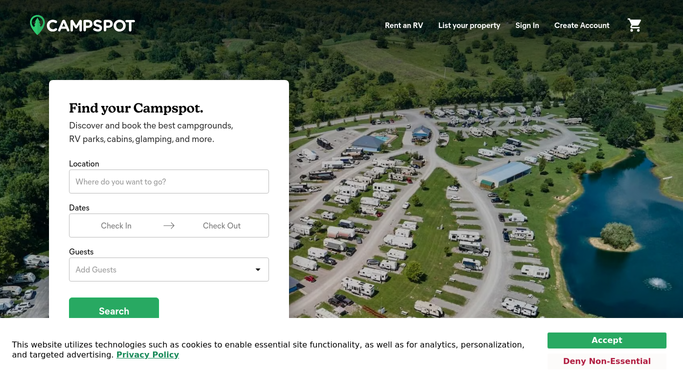
WebRun opens Campspot to pull new reservations. - Open Campspot and navigate to the Reservations dashboard
- Filter for reservations made in the last 24 hours that have not yet received a confirmation email
- Capture guest name, arrival date, departure date, site number, and any add-ons for each reservation
Done when Every new reservation from the last 24 hours is listed with its guest and site details.
-
2
Gmail - draft confirmation emails
gmail.com How to Automate Gmail

WebRun opens Gmail to draft confirmation emails. - Draft a personalised confirmation email for each guest, including site number, arrival date, check-in time, and directions
- Include any add-ons such as firewood or golf-cart rentals in the email body
- Save each draft in Gmail for your review. Do not send any email until you approve it
Done when A Gmail draft is ready for every new reservation, waiting for your approval before sending.
-
3
Slack - notify you for review
slack.com How to Automate Slack

WebRun opens Slack to notify you for review. - Post a summary to your Slack channel listing how many drafts are ready and the guest names
- Include a direct link to Gmail Drafts so you can review and send in one click
Done when You have a Slack summary with a link to the waiting draft emails.
How is each run configured?
Secure by default
Connect once, stays signed in
WebRun signs in once and keeps each session in a persistent environment, so every run picks up right where it left off.
Every action is checked against this policy before it runs.
Questions, answered
Will it send emails to guests automatically?
No. WebRun drafts every confirmation and saves it in Gmail for your review. Nothing is sent until you approve and send it yourself.
What information does the confirmation include?
Site number, arrival and departure dates, check-in time, directions, any booked add-ons, and your park contact details. You can give WebRun a template or tone guide and it will match your style.
What if a reservation was already confirmed?
WebRun checks Campspot for reservations that have not yet received a confirmation, so already-confirmed bookings are skipped automatically.
Related templates
Put this on autopilot.
Turn it on in minutes - or have our team set it up for you.