Get a daily digest of which target accounts are heating up
Every morning, WebRun opens RollWorks, checks your target account list for accounts showing rising ad engagement, website visits, or intent signals since the day before, saves a snapshot of the full list to Google Drive, and posts the accounts heating up fastest to Slack so sales and marketing can align on where to focus.
- No credit card
- Under $0.01 per run
- Cancel anytime
How do I see which target accounts are heating up each day?
WebRun checks RollWorks every morning for target accounts showing rising ad engagement, website visits, or intent signals since the day before, and ranks them by how much their engagement increased. It posts the accounts heating up fastest to Slack and saves a full snapshot to Google Drive, so sales and marketing know where to focus.
- Sales and marketing see the same heating up accounts every morning
- Every account comes with the signal that drove it up the list
- A full snapshot is archived in Drive for trend tracking
Built for ABM teams · B2B marketers · enterprise sales reps · revenue operations
What does WebRun do on every run?
The exact actions WebRun takes, in order - in plain language, so you can adjust anything.
-
WebRun signs in and gets to work
Opens
rollworks.comin a real browser with your saved login - no setup, no API keys. -
1
RollWorks - check target accounts for rising signals
rollworks.com
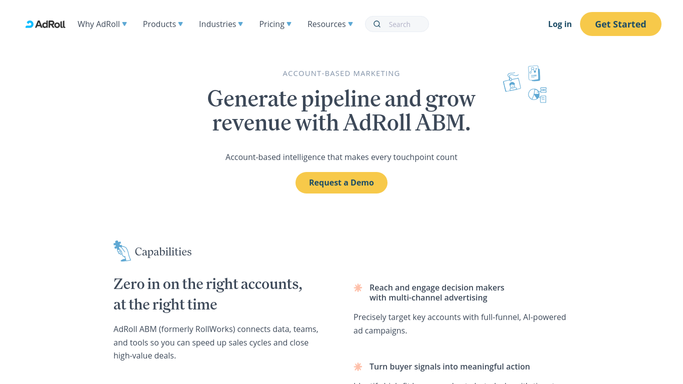
WebRun opens RollWorks to check target accounts for rising signals. - Open RollWorks and check target account engagement and intent since the last check
- Note which accounts show rising ad engagement, site visits, or intent scores
- Rank accounts by how much their engagement increased
Done when Every target account's engagement change since yesterday is captured and ranked.
-
2
Google Drive - post the heating up list to the team
drive.google.com How to Automate Google Drive

WebRun opens Google Drive to post the heating up list to the team. - Save a dated snapshot of the full target account list and their scores
- Keep it in the shared ABM Reporting folder
Done when Today's account snapshot is backed up in Drive.
-
3
Slack - back up the daily snapshot
slack.com How to Automate Slack

WebRun opens Slack to back up the daily snapshot. - Post the accounts heating up fastest to the sales and marketing channel
- Include what signal drove each one up the list
Done when The team has today's heating up accounts posted in Slack.
How is each run configured?
Secure by default
Connect once, stays signed in
WebRun signs in once and keeps each session in a persistent environment, so every run picks up right where it left off.
Every action is checked against this policy before it runs.
Questions, answered
Does it launch or change any ad campaigns?
No. WebRun only reports on account engagement and intent signals RollWorks already tracks. Managing campaigns stays with your marketing team.
What counts as an account heating up?
A meaningful increase in ad engagement, website visits, or intent score compared to the day before. The threshold can be tuned to your account list size.
Is this only for accounts on my target list?
Yes, it checks the target account list already set up in RollWorks. You control which accounts are being watched.
Related templates
Put this on autopilot.
Turn it on in minutes - or have our team set it up for you.