Digest your week's studio schedule every Monday
Every Monday morning, WebRun pulls every confirmed booking for the upcoming week from Studio Hero, cross checks each session's room and time against Google Calendar, and posts the full schedule grouped by day to Slack for the whole team to see.
- No credit card
- Under $0.01 per run
- Cancel anytime
How do I share the week's studio schedule with my whole team?
Every Monday morning, WebRun pulls the week's bookings from Studio Hero, cross checks the room and time for each session against Google Calendar, and posts a Slack digest listing the client, room, and engineer for every slot, so your whole team starts the week knowing exactly what's booked without opening Studio Hero themselves.
- The whole team starts Monday knowing what's booked
- No one has to log into Studio Hero just to check the week
- Rooms and engineers are visible at a glance
Built for recording studios · studio managers · audio engineers · studio teams
What does WebRun do on every run?
The exact actions WebRun takes, in order - in plain language, so you can adjust anything.
-
WebRun signs in and gets to work
Opens
thestudiohero.comin a real browser with your saved login - no setup, no API keys. -
1
Studio Hero - pull the week's bookings
thestudiohero.com How to Automate Studio Hero
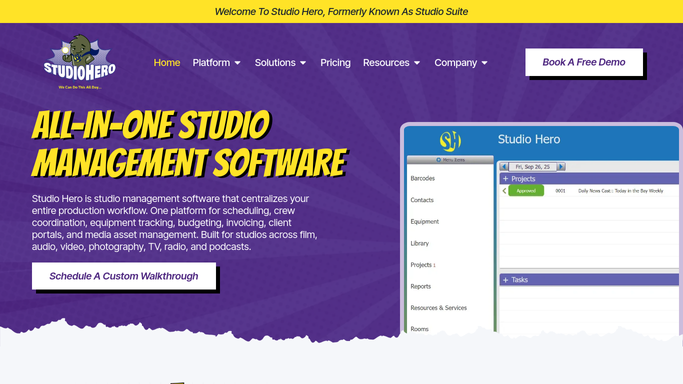
WebRun opens Studio Hero to pull the week's bookings. - Open Studio Hero and pull every confirmed booking for the upcoming week
- Capture the client, session type, room, and assigned engineer for each
- Group sessions by day
Done when Every confirmed booking for the upcoming week is captured and grouped by day.
-
2
Google Calendar - confirm room and time details
calendar.google.com How to Automate Google Calendar

WebRun opens Google Calendar to confirm room and time details. - Cross check each session's room and time against the calendar
- Flag anything on the calendar that Studio Hero doesn't show as confirmed
Done when Every session's room and time is confirmed against the calendar.
-
3
Slack - post the team digest
slack.com How to Automate Slack

WebRun opens Slack to post the team digest. - Post the week's schedule grouped by day
- List the client, session type, room, and engineer for each slot
- Pin the message so the team can find it all week
Done when The team has this week's full schedule posted in Slack.
How is each run configured?
Secure by default
Connect once, stays signed in
WebRun signs in once and keeps each session in a persistent environment, so every run picks up right where it left off.
Every action is checked against this policy before it runs.
Questions, answered
Does the whole team need a Studio Hero login to see this?
No. The digest posts straight to Slack with every session's client, room, and engineer, so anyone on the team can see the week without logging into Studio Hero.
What if a booking changes after Monday's digest posts?
The next scheduled run picks up the live schedule from Studio Hero, so changes show up in the following digest.
Does it flag scheduling conflicts?
Yes. It cross checks each session against Google Calendar and flags anything that doesn't match, so double bookings surface before the week starts.
Related templates
Put this on autopilot.
Turn it on in minutes - or have our team set it up for you.