Flag no shows and draft the cancellation fee
Every hour, WebRun checks Studio Hero for no shows and late cancellations, drafts the cancellation fee as an invoice in QuickBooks using your policy amount, and posts an alert to the studio manager in Slack with the client, session, and drafted fee.
- No credit card
- Under $0.01 per run
- Cancel anytime
How do I flag no shows and charge a cancellation fee?
WebRun flags each no show or late cancellation in Studio Hero and posts an internal Slack alert naming the client and session so your manager knows right away. It also drafts the cancellation fee in QuickBooks for review. Because charging a client is irreversible, WebRun never sends the invoice or runs the charge on its own.
- Every no show is flagged the same day it happens
- Cancellation fees are drafted and ready, never auto charged
- Managers see late cancellation patterns as they emerge
Built for recording studios · studio managers · studio owners · booking coordinators
What does WebRun do on every run?
The exact actions WebRun takes, in order - in plain language, so you can adjust anything.
-
WebRun signs in and gets to work
Opens
thestudiohero.comin a real browser with your saved login - no setup, no API keys. -
1
Studio Hero - flag no shows and late cancellations
thestudiohero.com How to Automate Studio Hero
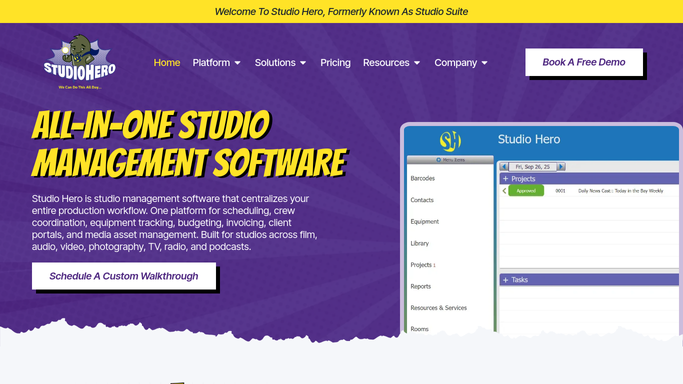
WebRun opens Studio Hero to flag no shows and late cancellations. - Open Studio Hero and check sessions that started with no client check-in
- Include cancellations made inside your late cancellation window
- Capture the client, session, and how the policy applies to each
Done when Every no show or late cancellation this run is captured with its policy detail.
-
2
QuickBooks - draft the cancellation fee
- Draft a cancellation fee invoice for each flagged session using your policy amount
- Attach it to the client's account in QuickBooks
- Leave the invoice as a draft. Do not send or charge it
Done when A draft cancellation fee is waiting in QuickBooks for every flagged session.
-
3
Slack - alert the studio manager
slack.com How to Automate Slack

WebRun opens Slack to alert the studio manager. - Post an alert to the studio manager with the client, session, and drafted fee
- Flag repeat no shows so patterns are easy to spot
Done when The studio manager has been alerted to every no show or late cancellation this run.
How is each run configured?
Secure by default
Connect once, stays signed in
WebRun signs in once and keeps each session in a persistent environment, so every run picks up right where it left off.
Every action is checked against this policy before it runs.
Questions, answered
Will it charge the client's card automatically?
No. WebRun only drafts the cancellation fee invoice in QuickBooks. Charging a client is irreversible, so a person always reviews and sends it first.
How does it decide what counts as a late cancellation?
It applies your studio's cancellation window as set up in Studio Hero, so only cancellations inside that window get flagged, not every reschedule.
Does the manager get alerted right away?
Yes. WebRun checks for no shows and late cancellations hourly and posts to Slack as soon as one is flagged, not at the end of the day.
Related templates
Put this on autopilot.
Turn it on in minutes - or have our team set it up for you.