Surface at-risk R&D tax credit engagements before they go delinquent
Every Monday, WebRun opens Neo.Tax and scans all active client engagements for stall signals: missing data connections, document submissions overdue by 14 or more days, and studies that have not advanced a stage in 21 or more days. It scores each at-risk engagement by severity, logs the worklist in Google Sheets, and posts a ranked risk digest to Slack so managers can intervene before an engagement goes delinquent.
- No credit card
- Under $0.01 per run
- Cancel anytime
How do I automatically identify R&D tax credit engagements at risk of going delinquent?
Every Monday, WebRun scans all active Neo.Tax engagements for stall signals: missing data connections, overdue document submissions, and studies with no stage progress in 21 or more days. Each at-risk engagement is scored and logged in a ranked Google Sheets worklist, with a Slack digest sent to managers so they can intervene before a client or deadline is jeopardized.
- At-risk engagements are surfaced weekly before they miss a filing deadline or lose a client
- Managers see a ranked risk list in Slack without manually auditing Neo.Tax
- Stall signals are caught at 14 to 21 days, not after a deadline has passed
Built for R&D tax credit firms · CPA practice managers · tax advisory partners · accounting firm operations
What does WebRun do on every run?
The exact actions WebRun takes, in order - in plain language, so you can adjust anything.
-
WebRun signs in and gets to work
Opens
app.neo.taxin a real browser with your saved login - no setup, no API keys. -
1
Neo.Tax - scan for stall and risk signals
neo.tax How to Automate Neo.Tax
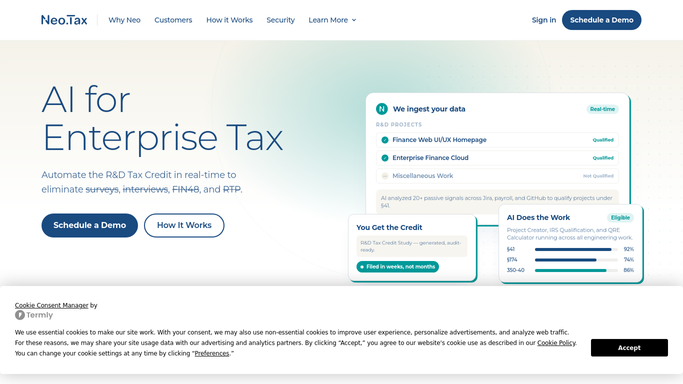
WebRun opens Neo.Tax to scan for stall and risk signals. - Open Neo.Tax and review all active client engagements
- Flag engagements with missing data connections (payroll, Jira, or accounting not yet linked)
- Flag engagements where client document submissions are 14 or more days overdue
- Flag studies whose stage has not advanced in 21 or more days
- Assign a risk score: high for two or more flags, medium for one flag, monitor for engagements approaching a flag threshold
Done when Every active engagement has been scanned and scored for delinquency risk.
-
2
Google Sheets - build ranked risk worklist
google.com How to Automate Google Sheets

WebRun opens Google Sheets to build ranked risk worklist. - Open the at-risk engagement worklist Google Sheet
- Log each flagged engagement with client name, risk score, specific risk signals, days stalled, and assigned manager
- Sort by risk score (high to low) and update the last-reviewed date
Done when The worklist is updated, sorted, and ready for the team to action.
-
3
Slack - post weekly delinquency risk digest
slack.com How to Automate Slack

WebRun opens Slack to post weekly delinquency risk digest. - Post the weekly risk digest to the internal Slack channel listing all high and medium risk engagements
- Include the specific signals driving each risk score and the days stalled
- Tag the assigned manager for each high-risk engagement
Done when Managers have the ranked risk worklist in Slack with at-risk engagements called out.
How is each run configured?
Secure by default
Connect once, stays signed in
WebRun signs in once and keeps each session in a persistent environment, so every run picks up right where it left off.
Every action is checked against this policy before it runs.
Questions, answered
Does it contact clients or change anything in Neo.Tax?
No. WebRun only reads Neo.Tax to identify risk signals and posts the worklist internally. Any client outreach or Neo.Tax updates are made by your team based on the worklist.
What counts as a stall signal?
Three signals are checked: missing data connections (payroll, Jira, or accounting not linked), document submissions overdue by 14 or more days, and studies with no stage advancement in 21 or more days. Any combination scores the engagement as at risk.
Can the thresholds be adjusted?
Yes. The 14-day and 21-day thresholds are configurable in the workflow settings so you can tighten or loosen the risk window to match your firm's engagement standards.
Related templates
Put this on autopilot.
Turn it on in minutes - or have our team set it up for you.