Celebrate every Ravelry pattern sales milestone the moment it hits
Every morning, WebRun opens Ravelry, checks pattern sales, new queue adds, and comments on your designs from the past day, sends the day's totals to Telegram, and texts you through Twilio the moment a pattern crosses a sales milestone.
- No credit card
- Under $0.01 per run
- Cancel anytime
How do I know when a Ravelry pattern hits a sales milestone?
WebRun checks your Ravelry designer dashboard every morning for pattern sales, queue adds, and comments, sends the day's totals to Telegram, and texts you through Twilio the moment a pattern crosses a sales milestone. It never replies to a comment itself, so every interaction with your customers stays in your own voice.
- Sales milestones get celebrated the moment they happen
- Queue adds surface early interest before a sale closes
- One daily digest replaces checking the dashboard by hand
Built for Pattern designers · independent knitwear brands · craft marketplace sellers · fiber arts businesses
What does WebRun do on every run?
The exact actions WebRun takes, in order - in plain language, so you can adjust anything.
-
WebRun signs in and gets to work
Opens
www.ravelry.comin a real browser with your saved login - no setup, no API keys. -
1
Ravelry - check pattern sales and queue adds
ravelry.com
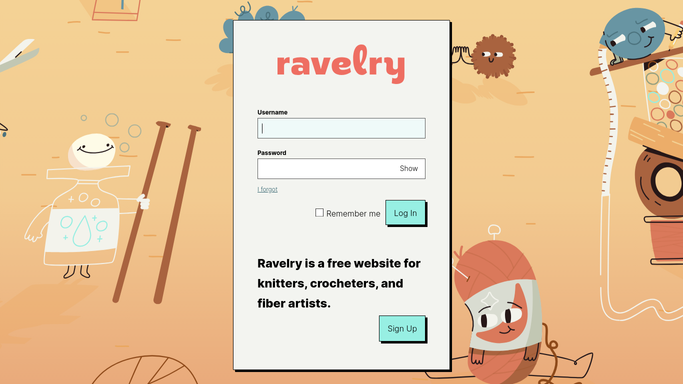
WebRun opens Ravelry to check pattern sales and queue adds. - Open your designer dashboard on Ravelry
- Check pattern sales, queue adds, and comments from the past day
- Note any pattern that has crossed a sales milestone since the last check
Done when Every pattern's sales and queue activity for the past day has been checked.
-
2
Telegram - send the daily digest
telegram.org How to Automate Telegram

WebRun opens Telegram to send the daily digest. - Send a digest of today's sales, queue adds, and comments
- Break it down by pattern
- Skip patterns with no new activity
Done when Today's Ravelry activity digest is on Telegram.
-
3
Twilio - text you at each sales milestone
twilio.com How to Automate Twilio

WebRun opens Twilio to text you at each sales milestone. - Send a text only when a pattern crosses a sales milestone
- Include the pattern name and the new total
- Skip texting for routine daily sales
Done when You've been texted about every milestone crossed today.
How is each run configured?
Secure by default
Connect once, stays signed in
WebRun signs in once and keeps each session in a persistent environment, so every run picks up right where it left off.
Every action is checked against this policy before it runs.
Questions, answered
Does WebRun reply to comments on my Ravelry patterns?
No. It only reads sales, queue adds, and comments. Replying to a comment or message is left entirely to you.
What counts as a milestone?
A round number of total sales for a pattern, like reaching 100 or 500 sold. You can set the thresholds that matter to your shop.
Does it track queue adds, not just sales?
Yes. Queue adds are included in the daily digest since they're a good early signal of interest, even before a pattern sells.
Related templates
Put this on autopilot.
Turn it on in minutes - or have our team set it up for you.