Catch QA duplicates before a radon report ships
Every night, WebRun opens RadonEasy, cross-checks the day's completed tests for duplicate device deployments, duplicate work orders on the same property, and continuous monitor readings that disagree with their backup canister, logs every flag in a Google Sheet, and alerts your QA lead in Slack before any report goes out.
- No credit card
- Under $0.01 per run
- Cancel anytime
How do I catch duplicate or mismatched radon test entries before reports ship?
WebRun cross-checks RadonEasy every night for duplicate device deployments, duplicate work orders on the same property, and continuous monitor readings that disagree with their backup canister. It logs each flag in Google Sheets and alerts your QA lead in Slack, so discrepancies get caught and cleared before a consumer report ever ships.
- Duplicate device and work order errors are caught before a report ships
- Continuous monitor and backup canister disagreements never slip through unnoticed
- Your QA lead reviews one Slack summary instead of auditing every test by hand
Built for radon testing companies · QA leads · radon lab supervisors · radon testing franchise owners
What does WebRun do on every run?
The exact actions WebRun takes, in order - in plain language, so you can adjust anything.
-
WebRun signs in and gets to work
Opens
app.radoneasy.comin a real browser with your saved login - no setup, no API keys. -
1
RadonEasy - cross-check the day's tests for QA issues
radoneasy.com How to Automate RadonEasy
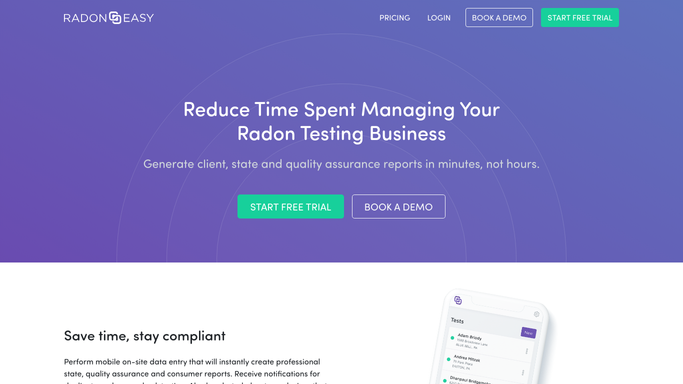
WebRun opens RadonEasy to cross-check the day's tests for QA issues. - Open RadonEasy and pull the day's completed tests with device assignments and readings
- Check for the same device logged against two properties on the same day
- Compare continuous monitor readings against their backup electret or charcoal canister and flag any disagreement past your tolerance
Done when Every completed test today has been cross-checked for duplicate devices and mismatched readings.
-
2
Google Sheets - log every flagged discrepancy
google.com How to Automate Google Sheets

WebRun opens Google Sheets to log every flagged discrepancy. - Open the QA flag log in Google Sheets
- Add a row for each flagged test naming the property, device, and the specific discrepancy found
- Mark each row as unresolved until your QA lead clears it
Done when Every flag from tonight's cross-check is logged as a row in the QA sheet.
-
3
Slack - alert your QA lead
slack.com How to Automate Slack

WebRun opens Slack to alert your QA lead. - Post tonight's flag count to your QA channel, or an all-clear message if nothing was flagged
- List each flagged property and discrepancy so your QA lead can review before the report ships
Done when Your QA lead has tonight's flag list, or an all-clear, waiting in Slack.
How is each run configured?
Secure by default
Connect once, stays signed in
WebRun signs in once and keeps each session in a persistent environment, so every run picks up right where it left off.
Every action is checked against this policy before it runs.
Questions, answered
Does this hold up consumer reports until QA clears them?
WebRun does not change a report's status in RadonEasy on its own. It flags the discrepancy in Slack and Google Sheets so your QA lead can hold the report manually until it's cleared.
What counts as a mismatched reading?
Any continuous monitor result that disagrees with its backup electret or charcoal canister by more than the tolerance you set. Everything within tolerance is left off the flag list.
Does any of this reach a client?
No. The Google Sheet log and the Slack alert are both internal. Nothing about a flagged discrepancy is sent to a client or a regulator.
Related templates
Put this on autopilot.
Turn it on in minutes - or have our team set it up for you.