Reconcile every till close for you
Every night after the last till closes, WebRun reads the shift's expected cash total in Poster, compares it to what was actually counted, and sends Telegram a reconciliation summary with any shortage or overage explained.
- No credit card
- Under $0.01 per run
- Cancel anytime
How do I reconcile till close cash against Poster automatically?
After every till closes, WebRun compares the cash Poster expected for that shift against what was actually counted, and prepares the reconciliation as a draft entry in Xero for your bookkeeper. It sends a Telegram summary of any shortage or overage the same night, explained by shift.
- Every till close is reconciled the same night, not days later
- Shortages and overages are explained by shift, not lumped together
- Your bookkeeper gets a ready draft entry instead of a raw cash count
Built for cafe owners · shift managers · bar managers · hospitality bookkeepers
What does WebRun do on every run?
The exact actions WebRun takes, in order - in plain language, so you can adjust anything.
-
WebRun signs in and gets to work
Opens
joinposter.comin a real browser with your saved login - no setup, no API keys. -
1
Poster - read the shift's expected cash total
joinposter.com How to Automate Poster
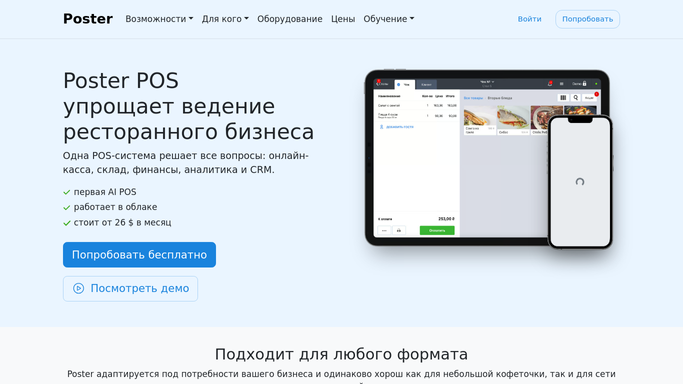
WebRun opens Poster to read the shift's expected cash total. - Open Poster's cash shift report for the till that just closed
- Read the expected cash total and what was actually counted at close
- Note any shift with a shortage or overage
Done when Expected and counted cash totals are captured for every closed shift.
-
2
Xero - draft the day's cash entry
xero.com How to Automate Xero

WebRun opens Xero to draft the day's cash entry. - Prepare the day's cash takings as a draft bank transaction in Xero
- Attach the shift totals and any shortage or overage as a note
- Leave the entry unreconciled for your bookkeeper to confirm
Done when A draft cash entry is ready in Xero for every closed shift, unreconciled.
-
3
Telegram - send the reconciliation summary
telegram.org How to Automate Telegram

WebRun opens Telegram to send the reconciliation summary. - Send a reconciliation summary for the night's shifts
- Call out any shift with a shortage or overage above your threshold
- Note which shifts closed clean
Done when The manager has tonight's cash reconciliation summary in Telegram.
How is each run configured?
Secure by default
Connect once, stays signed in
WebRun signs in once and keeps each session in a persistent environment, so every run picks up right where it left off.
Every action is checked against this policy before it runs.
Questions, answered
Does it post the reconciliation to my books automatically?
No. WebRun prepares the day's cash entry as a draft in Xero for your bookkeeper to confirm. It never reconciles or posts it on its own.
What counts as a shortage or overage?
Any gap between the cash Poster expected for the shift and what was actually counted at close, shown with the amount and the shift it belongs to.
Does it flag every tiny difference?
No. Only gaps above the threshold you set get flagged. Small rounding differences are noted in the summary but not called out as a shortage.
Related templates
Put this on autopilot.
Turn it on in minutes - or have our team set it up for you.