Flag bar pour cost variances early
Every Monday, WebRun compares each bar recipe's theoretical pour cost in Poster against actual liquor invoices in Xero, logs the comparison to a Google Sheet, and posts Slack a flag for any drink whose pour cost has crept up.
- No credit card
- Under $0.01 per run
- Cancel anytime
How do I flag bar pour cost variance automatically?
Every Monday, WebRun compares each bar recipe's theoretical pour cost in Poster against the actual liquor invoices recorded in Xero that week, logging the comparison to a Google Sheet. Any drink whose real cost has crept past your threshold gets flagged in Slack before it erodes your bar margin.
- Pour cost drift is flagged within a week, not at a quarterly audit
- Every bar recipe is checked against real liquor invoices, not a static cost card
- Bar margin erosion gets caught early instead of after a bad month
Built for bar managers · bar owners · beverage directors · hospitality finance teams
What does WebRun do on every run?
The exact actions WebRun takes, in order - in plain language, so you can adjust anything.
-
WebRun signs in and gets to work
Opens
joinposter.comin a real browser with your saved login - no setup, no API keys. -
1
Poster - read each bar recipe's pour cost
joinposter.com How to Automate Poster
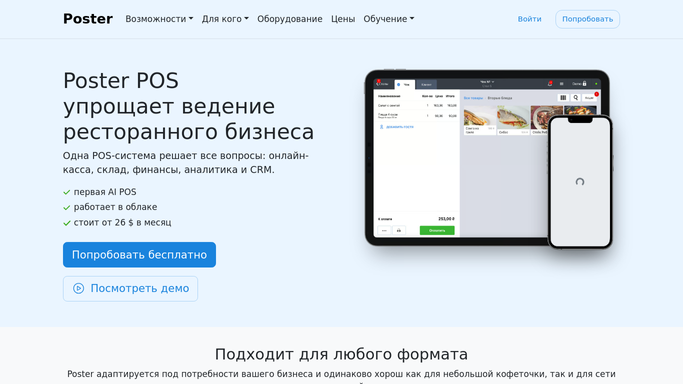
WebRun opens Poster to read each bar recipe's pour cost. - Open Poster's Menu and pull the theoretical pour cost for every bar recipe
- Note the pour size and target cost percentage for each drink
- Flag any recipe whose pour size or ingredients changed this week
Done when Every bar recipe's theoretical pour cost has been pulled for the week.
-
2
Xero - check actual liquor invoices
xero.com How to Automate Xero

WebRun opens Xero to check actual liquor invoices. - Open Xero and pull this week's liquor supplier invoices
- Calculate the actual pour cost using the invoiced bottle prices
- Compare actual pour cost to Poster's theoretical cost for each drink
Done when Actual pour cost has been compared to theoretical cost for every bar recipe.
-
3
Google Sheets - log the pour cost comparison
google.com How to Automate Google Sheets

WebRun opens Google Sheets to log the pour cost comparison. - Open the bar cost tracking Sheet
- Log this week's theoretical cost, actual cost, and variance for every drink
- Update the running trend for repeat offenders
Done when This week's full pour cost comparison is logged for every drink.
-
4
Slack - flag drinks with rising cost
slack.com How to Automate Slack

WebRun opens Slack to flag drinks with rising cost. - Post any drink whose actual pour cost drifted past your threshold
- Show the theoretical cost, actual cost, and the gap
- Sort the list with the worst drift first
Done when You have this week's pour cost variance flags in Slack.
How is each run configured?
Secure by default
Connect once, stays signed in
WebRun signs in once and keeps each session in a persistent environment, so every run picks up right where it left off.
Every action is checked against this policy before it runs.
Questions, answered
Will it adjust my drink recipes or pricing?
No. WebRun only posts a flag in Slack. It never edits a recipe, pour size, or price in Poster on its own.
How is this different from the ingredient cost variance report?
It's the same comparison, Poster's recipe cost against Xero's actual invoices, applied to bar recipes and liquor pours instead of food ingredients.
What if a bottle size or pour changes?
Update the recipe in Poster and the next run compares against the new theoretical cost, so the flag reflects your current pour.
Related templates
Put this on autopilot.
Turn it on in minutes - or have our team set it up for you.