Draft win-back messages for lapsed guests
Every Monday, WebRun finds guests in Poster who haven't visited in 45 days, drafts a personalized win-back message in Gmail for each, and pings Telegram to let you know the drafts are ready for review.
- No credit card
- Under $0.01 per run
- Cancel anytime
How do I win back lapsed cafe guests automatically?
Every Monday, WebRun finds guests in Poster who haven't visited in over 45 days and drafts a personalized win-back message for each in Gmail, left unsent. It pings you in Telegram once the batch is ready, so you choose exactly who gets a message and what it says.
- Lapsed guests get a personalized draft instead of a generic blast
- You approve every message before it sends, every time
- Guests past 45 days without a visit are never missed
Built for cafe owners · marketing minded cafe operators · loyalty program managers · coffee shop owners
What does WebRun do on every run?
The exact actions WebRun takes, in order - in plain language, so you can adjust anything.
-
WebRun signs in and gets to work
Opens
joinposter.comin a real browser with your saved login - no setup, no API keys. -
1
Poster - find guests who haven't visited
joinposter.com How to Automate Poster
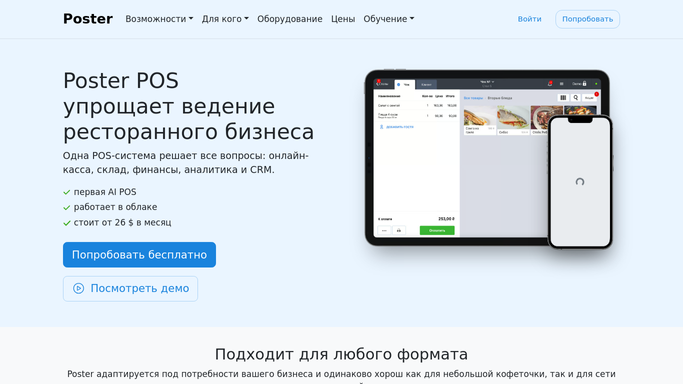
WebRun opens Poster to find guests who haven't visited. - Open Poster's Clients and pull guest visit history
- Find every guest whose last visit was more than 45 days ago
- Note each guest's usual order and favorite items
Done when Every lapsed guest has been identified with their last visit date.
-
2
Gmail - draft the win-back message
gmail.com How to Automate Gmail

WebRun opens Gmail to draft the win-back message. - Draft a personalized win-back message for each lapsed guest, mentioning a favorite item
- Include a simple reason to come back this week
- Save every message as a draft. Do not send any of them
Done when A draft win-back message exists for every lapsed guest, unsent.
-
3
Telegram - notify the drafts are ready
telegram.org How to Automate Telegram

WebRun opens Telegram to notify the drafts are ready. - Message you once the batch of drafts is ready
- Note how many guests are in this week's batch
- Remind you to review each draft in Gmail before sending
Done when You've been notified that this week's win-back drafts are ready for review.
How is each run configured?
Secure by default
Connect once, stays signed in
WebRun signs in once and keeps each session in a persistent environment, so every run picks up right where it left off.
Every action is checked against this policy before it runs.
Questions, answered
Will it email guests without me checking first?
No. Every win-back message is drafted in Gmail and left unsent. WebRun pings you in Telegram once a batch is ready, and you choose what to send.
How does it decide who's lapsed?
It reads each guest's last visit date from Poster's guest records and flags anyone past the number of days you set, 45 by default.
Can I edit the drafts before sending?
Yes. Each draft sits in Gmail exactly like one you wrote yourself, so you can edit, personalize, or delete it before anything goes out.
Related templates
Put this on autopilot.
Turn it on in minutes - or have our team set it up for you.