Catch out-of-range chemical readings before customers notice
Every evening, WebRun reviews all chemical readings logged in Skimmer that day, identifies any chlorine, pH, alkalinity, or other values outside your acceptable ranges, appends the flags to a tracking sheet, and posts an alert digest to your Slack channel for immediate follow-up.
- No credit card
- Under $0.01 per run
- Cancel anytime
How can I automatically detect out-of-range pool chemical readings?
Every evening, WebRun scans all chemical readings logged in Skimmer that day, compares chlorine, pH, alkalinity, and other values against your acceptable ranges, logs every flag in Google Sheets with severity, and posts a prioritized alert digest to Slack so your team can schedule follow-ups before the next swim.
- Out-of-range readings caught the same day they are logged, not at the next visit
- A running Google Sheets log enables trend spotting across all accounts
- Team sees prioritized flags in Slack before the next morning's routes depart
Built for pool service companies · pool route operators · commercial pool managers · swimming pool maintenance businesses
What does WebRun do on every run?
The exact actions WebRun takes, in order - in plain language, so you can adjust anything.
-
WebRun signs in and gets to work
Opens
app.getskimmer.comin a real browser with your saved login - no setup, no API keys. -
1
Skimmer - read today's chemical logs
getskimmer.com
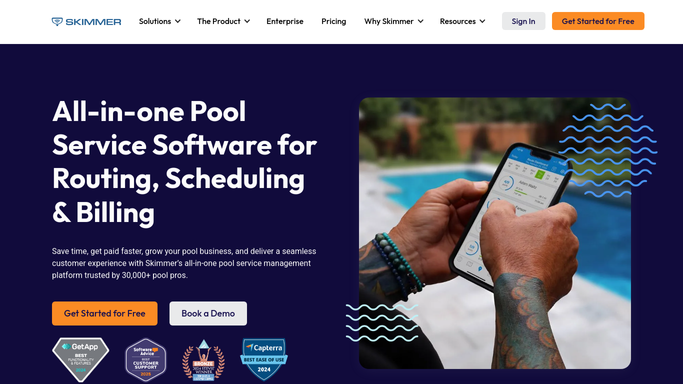
WebRun opens Skimmer to read today's chemical logs. - Open Skimmer and navigate to today's completed service logs
- Extract all chemical readings: chlorine, pH, alkalinity, cyanuric acid, and any custom parameters your team tracks
- Compare each reading against the acceptable range thresholds configured for your business
- Compile a list of flagged readings with the pool address, technician, reading value, and the acceptable range
Done when Every chemical reading from today's visits has been reviewed and out-of-range values identified.
-
2
Google Sheets - append out-of-range flags
google.com How to Automate Google Sheets

WebRun opens Google Sheets to append out-of-range flags. - Open the chemical readings tracking sheet
- Append a new row for each out-of-range reading with date, address, parameter, recorded value, and acceptable range
- Mark each row with a severity indicator based on how far outside range the value falls
Done when All flagged readings are logged in the tracking sheet with severity indicators.
-
3
Slack - post alert digest
slack.com How to Automate Slack

WebRun opens Slack to post alert digest. - Post a digest of today's out-of-range readings to the service channel
- List the most severe flags first with pool address and the specific reading
- Note any pools that may need a follow-up visit before their next scheduled service
Done when The team has a prioritized list of chemical flags in Slack to action.
How is each run configured?
Secure by default
Connect once, stays signed in
WebRun signs in once and keeps each session in a persistent environment, so every run picks up right where it left off.
Every action is checked against this policy before it runs.
Questions, answered
What chemical parameters does it check?
It checks every parameter your technicians log in Skimmer, including chlorine, pH, total alkalinity, cyanuric acid, and any custom readings your company tracks.
Will it contact the customer about a bad reading?
No. All alerts go to your internal Slack channel only. Any customer communication is a decision for your team after reviewing the flags.
Can I set custom acceptable ranges for different pool types?
Yes. The thresholds WebRun compares against are the ones you configure, so commercial pools, spas, and residential pools can each have their own ranges.
Related templates
Put this on autopilot.
Turn it on in minutes - or have our team set it up for you.