Win back lapsed shoppers
Every Monday, WebRun opens Astro Loyalty, finds customers who have not visited or made a purchase in 60 or more days, drafts a personalized win-back email campaign in Mailchimp for staff to review, and posts the lapsed-customer list to Slack with a prompt to approve the campaign before any email is sent.
- No credit card
- Under $0.01 per run
- Cancel anytime
How do I automatically identify and re-engage lapsed pet store customers?
Every Monday, WebRun checks Astro Loyalty for customers lapsed 60 or more days, drafts a personalized win-back email campaign in Mailchimp, and posts the lapsed list to Slack with a link to the draft. No email reaches a customer until staff review and approve the campaign, so every re-engagement message reflects your store's voice.
- Lapsed customers are identified weekly before they drift further away
- Win-back campaigns are drafted and ready to send after a single staff review
- Loyalty points data personalizes each offer without extra manual work
Built for pet store owners · loyalty program managers · marketing coordinators
What does WebRun do on every run?
The exact actions WebRun takes, in order - in plain language, so you can adjust anything.
-
WebRun signs in and gets to work
Opens
astroloyalty.comin a real browser with your saved login - no setup, no API keys. -
1
Astro Loyalty - find customers lapsed 60 or more days
astroloyalty.com
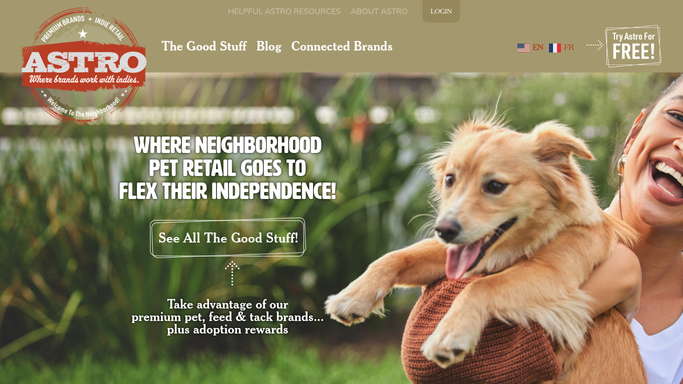
WebRun opens Astro Loyalty to find customers lapsed 60 or more days. - Open Astro Loyalty and filter the customer list to those with no purchase in the past 60 days
- Capture name, email, last visit date, lifetime spend, and points balance for each lapsed customer
- Sort by last visit date to prioritize the most recently lapsed first
Done when A list of lapsed customers with contact details and loyalty data is ready.
-
2
Mailchimp - draft a win-back email offer for review
mailchimp.com How to Automate Mailchimp

WebRun opens Mailchimp to draft a win-back email offer for review. - Create a draft email campaign in Mailchimp targeted at the lapsed customer segment
- Write a friendly subject line and body that references their loyalty status and offers an incentive to return
- Save the campaign as a draft without scheduling or sending it, so staff can review the content and audience
Done when A win-back campaign draft is saved in Mailchimp awaiting staff approval.
-
3
Slack - post the lapsed list and campaign draft to staff
slack.com How to Automate Slack

WebRun opens Slack to post the lapsed list and campaign draft to staff. - Post the lapsed-customer count and a summary of the draft campaign to the marketing channel
- Include a direct link to the Mailchimp draft for quick review
- Note that the campaign will not send until a staff member approves and schedules it in Mailchimp
Done when Staff have a Slack notification with the lapsed count and a link to the Mailchimp draft.
How is each run configured?
Secure by default
Connect once, stays signed in
WebRun signs in once and keeps each session in a persistent environment, so every run picks up right where it left off.
Every action is checked against this policy before it runs.
Questions, answered
Will it email lapsed customers automatically?
No. WebRun creates the Mailchimp campaign draft and notifies staff in Slack, but the email is never scheduled or sent until a team member reviews the content and approves the send in Mailchimp.
How does it define a lapsed customer?
It flags anyone in Astro Loyalty who has not made a purchase in 60 or more days. You can adjust this threshold during setup, and WebRun will apply your preferred window on every Monday run.
What kind of win-back offer does it draft?
WebRun drafts a friendly email referencing the customer's loyalty points balance and suggesting a return visit with an incentive. Provide your preferred offer or discount amount during setup and WebRun will include it in every draft.
Related templates
 Shopify›
Put this on autopilot.
Turn it on in minutes - or have our team set it up for you.