Celebrate pet birthdays
Every morning, WebRun opens Astro Loyalty, finds pets whose birthday falls in the next seven days, drafts a personalized birthday offer email for each owner in Mailchimp, and posts a birthday list to Slack for staff review before any email is sent to a customer.
- No credit card
- Under $0.01 per run
- Cancel anytime
How do I automatically send birthday offers to pet store loyalty members?
Every morning, WebRun checks Astro Loyalty for pets with a birthday in the next seven days, drafts a personalized offer email for each owner in Mailchimp, and posts the list to Slack for staff to review. Birthday emails are never sent automatically, so every message your customers receive feels personal and timely.
- No pet birthday in your loyalty program goes unrecognized
- Personalized offers are drafted a week ahead so there is time to review and adjust
- Every birthday email reflects your store's voice before it reaches a customer
Built for pet store owners · loyalty program managers · marketing staff
What does WebRun do on every run?
The exact actions WebRun takes, in order - in plain language, so you can adjust anything.
-
WebRun signs in and gets to work
Opens
astroloyalty.comin a real browser with your saved login - no setup, no API keys. -
1
Astro Loyalty - find pets with birthdays in the next 7 days
astroloyalty.com
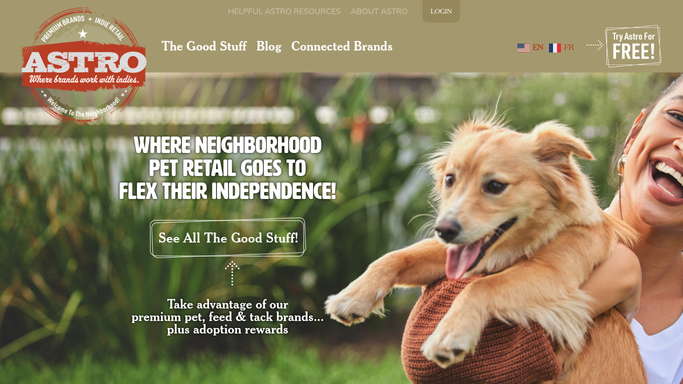
WebRun opens Astro Loyalty to find pets with birthdays in the next 7 days. - Open Astro Loyalty and filter pet profiles to those with a birthday in the next seven days
- Capture pet name, owner name, owner email, pet species, and birthday date for each match
- Skip any pet whose owner was already sent a birthday offer this year
Done when A list of upcoming pet birthdays with owner contact details is ready.
-
2
Mailchimp - draft a personalized birthday offer email
mailchimp.com How to Automate Mailchimp

WebRun opens Mailchimp to draft a personalized birthday offer email. - Create a draft email for each pet owner with the pet's name, birthday date, and a personalized birthday offer or discount
- Match the tone and offer to your store's birthday club guidelines
- Save each draft without scheduling or sending so staff can review and adjust before any email reaches a customer
Done when A draft birthday offer email is saved in Mailchimp for each upcoming pet birthday.
-
3
Slack - post the birthday list for staff review
slack.com How to Automate Slack

WebRun opens Slack to post the birthday list for staff review. - Post a birthday list to the marketing channel naming each pet, their birthday, and the owner's contact
- Note how many Mailchimp drafts are waiting for approval
- Remind staff that no emails will send until someone reviews and approves them in Mailchimp
Done when Staff have a Slack birthday list and a prompt to approve the Mailchimp drafts.
How is each run configured?
Secure by default
Connect once, stays signed in
WebRun signs in once and keeps each session in a persistent environment, so every run picks up right where it left off.
Every action is checked against this policy before it runs.
Questions, answered
Will it send birthday emails to pet owners without my approval?
No. WebRun drafts each birthday email in Mailchimp and notifies staff in Slack. No email is sent to a customer until a team member reviews the draft and approves the send, keeping every message warm and on-brand.
How does it know each pet's birthday?
It reads pet birthday dates from Astro Loyalty customer profiles. If a customer has not provided a birthday date for their pet, that pet is skipped. Encourage customers to add their pet's birthday when they sign up for the loyalty program.
Can it handle multiple pets per household?
Yes. WebRun drafts a separate birthday email for each pet linked to an owner's Astro Loyalty account. If two pets in the same household have the same birthday window, each gets its own personalized draft.
Related templates
 Shopify›
Put this on autopilot.
Turn it on in minutes - or have our team set it up for you.