Make sure every terminated employee's final pay is handled correctly in Gusto
Every morning, WebRun opens Gusto and checks for any employees marked as terminated in the past 24 hours. For each termination it compiles a final-pay checklist covering the applicable state final-pay deadline, outstanding PTO balance payout requirement, benefit cancellation steps, and off-cycle run requirements, then posts the checklist to your HR Slack channel for the team to review and process.
- No credit card
- Under $0.01 per run
- Cancel anytime
How do I automatically create a final-pay checklist for terminated employees in Gusto?
Every morning, WebRun opens Gusto and checks for terminations recorded in the past 24 hours. For each terminated employee, it compiles a final-pay checklist covering the state deadline, outstanding PTO payout, off-cycle run requirements, and benefit cancellation steps, then posts it to Slack for your HR team to review and action before any final payment is processed.
- State final-pay deadlines surfaced within 24 hours of every termination recorded in Gusto
- PTO payout requirements and benefit cancellation steps listed before HR takes action
- Final payroll run requires explicit human approval in Gusto before any payment goes out
Built for HR managers · payroll administrators · small business owners · people operations teams
What does WebRun do on every run?
The exact actions WebRun takes, in order - in plain language, so you can adjust anything.
-
WebRun signs in and gets to work
Opens
app.gusto.comin a real browser with your saved login - no setup, no API keys. -
1
Gusto - detect new terminations and read final-pay requirements
gusto.com How to Automate Gusto
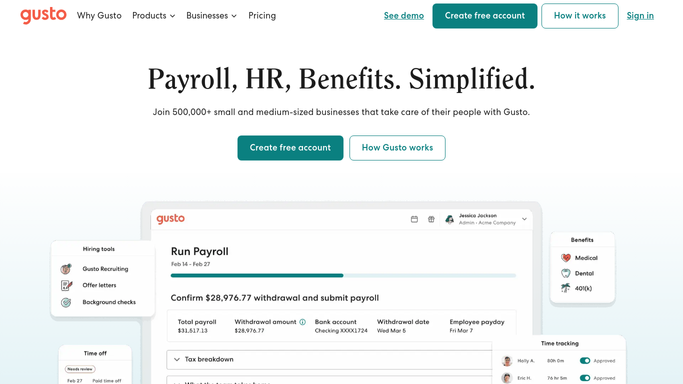
WebRun opens Gusto to detect new terminations and read final-pay requirements. - Open Gusto and navigate to the People section filtered to employees with a recent termination date
- Identify any employee terminated in the past 24 hours and note their name, state of work, and final day
- Read their current PTO balance and the company's PTO payout policy for that state
- Note whether Gusto has an off-cycle payroll run already scheduled for final pay
- List active benefits enrollments that must be cancelled or COBRA-noticed
Done when Every recent termination has a complete set of final-pay data including state, PTO balance, and active benefits.
-
2
Slack - post final-pay compliance checklist for HR review
slack.com How to Automate Slack

WebRun opens Slack to post final-pay compliance checklist for HR review. - Post a final-pay checklist to the HR Slack channel for each terminated employee
- Include the employee's name, state final-pay deadline, PTO payout amount if required, and benefit steps
- Flag the checklist as needing review before any off-cycle payroll is run or final payment is made
- Note that final pay must be approved by the HR manager in Gusto before processing. WebRun does not submit payroll
Done when HR has a complete final-pay checklist in Slack and knows what action is needed before processing.
How is each run configured?
Secure by default
Connect once, stays signed in
WebRun signs in once and keeps each session in a persistent environment, so every run picks up right where it left off.
Every action is checked against this policy before it runs.
Questions, answered
Will WebRun process the final paycheck automatically?
No. Processing final pay requires human approval. WebRun compiles the checklist and queues it for your HR team to review. The final payroll run must be approved and submitted in Gusto by a human before any payment is made.
How does it know the state final-pay deadline?
It uses the employee's state of work recorded in Gusto, which determines the applicable final-pay deadline. State rules vary from immediate payment to the next regular pay date. The checklist includes the specific deadline for the employee's state.
Does it handle COBRA notices or benefit terminations?
WebRun lists the benefits that must be cancelled or COBRA-noticed in the checklist, but it does not issue COBRA notices or cancel enrollments on its own. Those steps require your HR team or benefits administrator to take action.
Related templates
Put this on autopilot.
Turn it on in minutes - or have our team set it up for you.