Chase down contractor W-9s before the 1099 filing deadline
Every Monday, WebRun opens Gusto, finds all contractors paid during the current tax year who are missing W-9 information such as a TIN or address, and posts a follow-up worklist to Slack. It also logs outstanding contractors in an Airtable base so your accounting team can track collection progress toward the 1099-NEC deadline.
- No credit card
- Under $0.01 per run
- Cancel anytime
How do I automatically chase missing W-9 information from contractors in Gusto?
Every Monday, WebRun opens Gusto and finds all contractors paid 600 dollars or more during the tax year who are missing W-9 information such as a TIN or address. It posts a prioritized follow-up list to Slack and logs each contractor's status in Airtable so your accounting team can collect the missing details well before the 1099-NEC deadline.
- Missing contractor W-9 data caught weeks before the 1099 deadline, not days before
- Accounting team works from a focused Airtable-tracked list instead of manual Gusto audits
- Contractors near the 600-dollar threshold flagged early so no filing surprises arise
Built for accounting teams · payroll administrators · small business owners · HR managers
What does WebRun do on every run?
The exact actions WebRun takes, in order - in plain language, so you can adjust anything.
-
WebRun signs in and gets to work
Opens
app.gusto.comin a real browser with your saved login - no setup, no API keys. -
1
Gusto - find contractors with missing W-9 information
gusto.com How to Automate Gusto
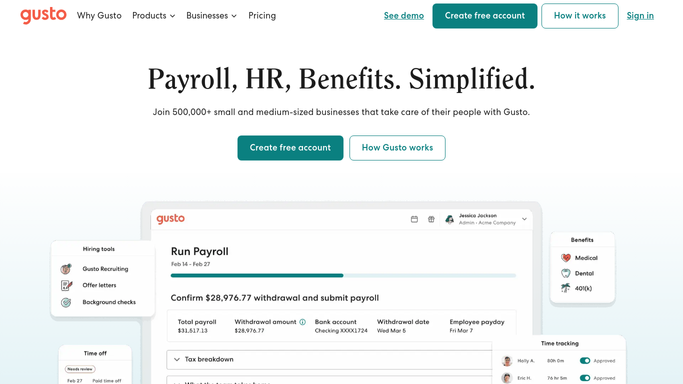
WebRun opens Gusto to find contractors with missing W-9 information. - Open Gusto and navigate to the contractor payments section for the current tax year
- Identify all contractors paid 600 dollars or more who are missing TIN, legal name, or address
- Note each contractor's name, total paid year-to-date, and which specific details are absent
- Flag any contractor whose total paid is approaching the 600-dollar 1099 threshold
Done when Every contractor with missing 1099-required information is listed with their year-to-date payments and gaps.
-
2
Slack - post W-9 collection worklist to accounting team
slack.com How to Automate Slack

WebRun opens Slack to post W-9 collection worklist to accounting team. - Post a W-9 collection worklist to the accounting Slack channel
- List each contractor with their year-to-date payment total and the missing data fields
- Include the current 1099 filing deadline and number of weeks remaining
Done when The accounting team has the W-9 follow-up list in Slack with deadline context.
-
3
Airtable - log contractor status for deadline tracking
airtable.com How to Automate Airtable

WebRun opens Airtable to log contractor status for deadline tracking. - Open the contractor 1099 tracking Airtable base
- Upsert each contractor record with current payment totals and collection status
- Mark contractors resolved when their W-9 information appears complete in Gusto
Done when Airtable reflects current W-9 collection status for all contractors above the filing threshold.
How is each run configured?
Secure by default
Connect once, stays signed in
WebRun signs in once and keeps each session in a persistent environment, so every run picks up right where it left off.
Every action is checked against this policy before it runs.
Questions, answered
Will it contact contractors directly to request their W-9?
No. WebRun posts an internal follow-up list to your accounting Slack channel. Reaching out to contractors is handled by your team. Any message to a contractor must be reviewed and sent by a human.
Does it file the 1099s in Gusto automatically?
No. WebRun only surfaces who is missing data before the deadline. Filing 1099-NEC forms in Gusto requires your explicit review and approval. Nothing is submitted on your behalf.
Does it check contractors below the 600-dollar threshold?
It flags any contractor approaching the 600-dollar threshold as a heads-up. Contractors clearly below the threshold and without any missing data are excluded from the worklist to keep it focused.
Related templates
Put this on autopilot.
Turn it on in minutes - or have our team set it up for you.