Alert customers the moment their wishlist item comes into the shop
Every morning, WebRun opens Bravo Store Systems, compares newly acquired inventory against your saved customer wishlist, drafts a personalized availability alert for each match, and stages every draft in Slack for a staff member to review and approve before the customer is contacted.
- No credit card
- Under $0.01 per run
- Cancel anytime
How do I automatically alert pawn customers when their wishlist item arrives?
WebRun scans Bravo Store Systems every morning for newly acquired inventory, matches each item against your customer wishlist, and drafts a personalized availability alert for every match in Gmail. Each draft waits in Slack for staff approval before reaching the customer, so every message is personal, accurate, and timely.
- Customers are notified the same day their desired item comes in
- Staff approve every outreach message before it is sent, keeping contact personal
- High-value matches are flagged for priority review so top items sell quickly
Built for pawn shop owners · pawn shop sales staff · pawn shop managers
What does WebRun do on every run?
The exact actions WebRun takes, in order - in plain language, so you can adjust anything.
-
WebRun signs in and gets to work
Opens
www.bravostoresystems.comin a real browser with your saved login - no setup, no API keys. -
1
Bravo Store Systems - scan new inventory for wishlist matches
bravostoresystems.com
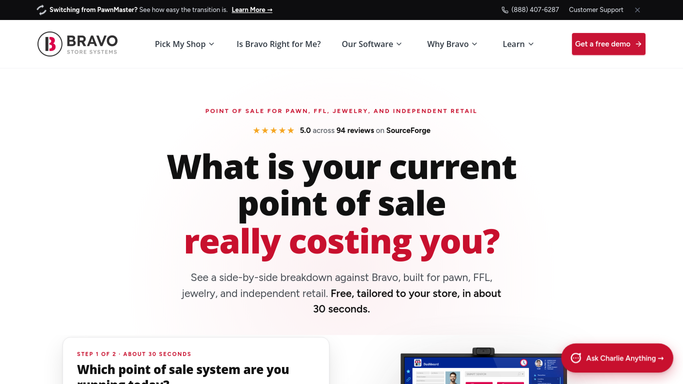
WebRun opens Bravo Store Systems to scan new inventory for wishlist matches. - Open Bravo Store Systems and navigate to inventory acquired since the last run
- Compare each new item's category, make, model, and condition against the saved customer wishlist
- Capture every match with the customer name, contact details, item description, and asking price
Done when All new inventory items matched to wishlist entries are listed with their full details.
-
2
Gmail - draft personalized availability alerts
gmail.com How to Automate Gmail

WebRun opens Gmail to draft personalized availability alerts. - Draft a personalized availability alert for each matched customer, describing the item and inviting them to come in or call
- Keep the tone friendly and low-pressure, naming the specific item the customer requested
- Save each message as a Gmail draft, unsent, for staff to review before delivery
Done when All wishlist-match alerts are saved as unsent Gmail drafts awaiting staff approval.
-
3
Slack - queue matches for staff review
slack.com How to Automate Slack

WebRun opens Slack to queue matches for staff review. - Post a Slack summary listing each match with customer name, item, and a link to the Gmail draft
- Flag high-value or time-sensitive items so staff can prioritize review
- Include the total count of matches found in today's inventory scan
Done when Staff can see all wishlist matches in Slack and approve each alert draft individually.
How is each run configured?
Secure by default
Connect once, stays signed in
WebRun signs in once and keeps each session in a persistent environment, so every run picks up right where it left off.
Every action is checked against this policy before it runs.
Questions, answered
Will WebRun contact customers automatically when an item comes in?
No. Every alert is saved as a Gmail draft and held for staff review. Nothing is sent to a customer until a team member opens the draft and approves it. This keeps your outreach personal and avoids contacting customers at the wrong time.
How specific can a wishlist entry be?
As specific as your Bravo Store Systems inventory records. WebRun matches on the fields you store: category, brand, model, caliber, condition, and price range. The more detail in the wishlist, the more precise the match.
What if multiple customers have a wishlist for the same item?
WebRun creates a separate draft alert for each matched customer. Staff can then decide the order in which to contact them, giving your team full control over priority and allocation.
Related templates
Put this on autopilot.
Turn it on in minutes - or have our team set it up for you.