Bring patients due for their annual eye exam back in
Every Monday, WebRun opens RevolutionEHR, pulls every patient whose last exam was 11 or more months ago with no future appointment booked, drafts a personalized recall email for each, and posts you a Slack summary so you can review and approve before anything is sent.
- No credit card
- Under $0.01 per run
- Cancel anytime
How do I automatically send annual eye exam recall messages to overdue patients?
WebRun opens RevolutionEHR every Monday, finds every patient overdue for their annual eye exam with no future appointment, and drafts a personalized recall email for each one in Gmail. It then notifies your team in Slack. No email is sent until a staff member reviews and approves each draft.
- Overdue patients receive a personalized recall prompt before they fall further behind
- Staff spend minutes reviewing drafts instead of hours writing individual emails
- No recall message leaves the practice without a human approving it first
Built for optometry practices · independent eye care clinics · optometrists · front-desk coordinators
What does WebRun do on every run?
The exact actions WebRun takes, in order - in plain language, so you can adjust anything.
-
WebRun signs in and gets to work
Opens
app.revolutionehr.comin a real browser with your saved login - no setup, no API keys. -
1
RevolutionEHR - find patients overdue for recall
revolutionehr.com
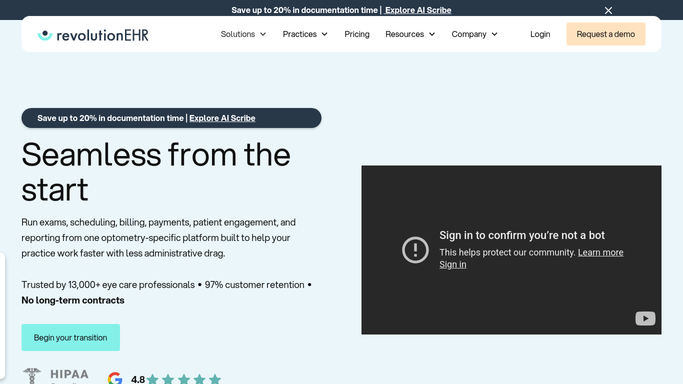
WebRun opens RevolutionEHR to find patients overdue for recall. - Open RevolutionEHR and navigate to the Recall or Patient Reports section
- Filter for patients whose last comprehensive exam was 11 or more months ago
- Exclude any patient who already has a future appointment scheduled
- Capture each patient's name, preferred contact, last exam date, and provider
Done when Every eligible recall patient is listed with their contact details and last exam date.
-
2
Gmail - draft personalized recall emails
gmail.com How to Automate Gmail

WebRun opens Gmail to draft personalized recall emails. - For each patient, draft a personalized recall email addressing them by first name
- Include their last exam date and a clear call to book their next appointment
- Leave every draft unsent in Gmail for your review. Do not send any email without approval
- Flag drafts for patients overdue more than 14 months as high priority
Done when A review-ready draft email exists in Gmail for every overdue patient.
-
3
Slack - notify you for review and approval
slack.com How to Automate Slack

WebRun opens Slack to notify you for review and approval. - Post a short Slack summary: total patients recalled, high-priority count, and a reminder to approve drafts in Gmail
- Include a direct link to the Gmail Drafts folder
Done when Your team has a Slack notification with the recall count and a prompt to approve.
How is each run configured?
Secure by default
Connect once, stays signed in
WebRun signs in once and keeps each session in a persistent environment, so every run picks up right where it left off.
Every action is checked against this policy before it runs.
Questions, answered
Will it send recall emails automatically without my approval?
No. Every email is drafted and left unsent in Gmail for your review. Nothing is sent to a patient until a human approves and clicks Send.
How does it decide which patients to include?
It reads RevolutionEHR for patients whose last exam was 11 or more months ago and who have no future appointment booked. Anyone already scheduled is excluded automatically.
Can I customize the recall message tone or template?
Yes. Give WebRun your preferred wording, tone, or an example email and it will match your practice voice on every draft.
Related templates
Put this on autopilot.
Turn it on in minutes - or have our team set it up for you.