Keep every data subject request inside its deadline
Every morning, WebRun signs into OneTrust, lists the open data subject requests with their received date, assignee, and stage, calculates how many days remain against the statutory clock, writes the picture into a Google Sheet, and sends a Telegram alert naming every request inside your warning window.
- No credit card
- Under $0.01 per run
- Cancel anytime
How do I make sure data subject requests never miss their deadline?
WebRun reads your open OneTrust data subject requests every morning and calculates the days remaining on each response clock. It keeps a Google Sheets tracker current with the assignee, stage, and urgency, and sends the privacy team a Telegram alert naming every request close to its deadline.
- Every open request has a visible countdown instead of a buried due date
- Unassigned requests are surfaced the morning after they arrive
- The tracker doubles as evidence of how response times were managed
Built for privacy teams · data protection officers · compliance managers · legal operations
What does WebRun do on every run?
The exact actions WebRun takes, in order - in plain language, so you can adjust anything.
-
WebRun signs in and gets to work
Opens
app.onetrust.comin a real browser with your saved login - no setup, no API keys. -
1
OneTrust - read open requests and their clocks
onetrust.com
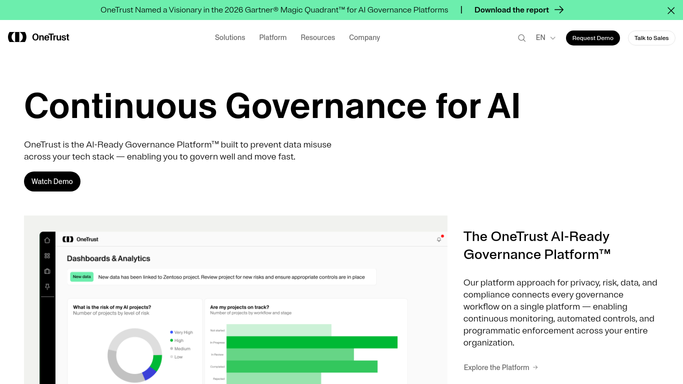
WebRun opens OneTrust to read open requests and their clocks. - Sign into OneTrust and open the data subject request queue
- Capture each open request with its reference, received date, request type, assignee, and current stage
- Calculate the days remaining against the response deadline that applies to that request
- Note requests where the clock has been extended and record the new due date
- Flag any request with no assignee, since those age fastest
Done when Every open request has an assignee, a stage, and a days-remaining figure.
-
2
Google Sheets - write the deadline tracker
google.com How to Automate Google Sheets

WebRun opens Google Sheets to write the deadline tracker. - Open your privacy operations tracker in Google Sheets
- Upsert one row per request, keyed on the reference, so the same request is never duplicated
- Update days remaining, stage, and assignee on every run
- Colour the status column by urgency: comfortable, warning window, or critical
- Move requests marked closed in OneTrust to the completed tab with their closure date
Done when Every open request has a current row and closed ones are archived.
-
3
Telegram - alert on requests running out of time
telegram.org How to Automate Telegram

WebRun opens Telegram to alert on requests running out of time. - Send a Telegram message to your privacy team chat with every request inside the warning window
- List the reference, the assignee, and the days remaining, fewest days first
- Call out unassigned requests separately at the top of the message
- Never respond to the requester, close a request, or release data. WebRun tracks, and the privacy team acts
Done when The privacy team has today's countdown in Telegram.
How is each run configured?
Secure by default
Connect once, stays signed in
WebRun signs in once and keeps each session in a persistent environment, so every run picks up right where it left off.
Every action is checked against this policy before it runs.
Questions, answered
Will it respond to a data subject or release their data?
Never. WebRun only reads request status and reports the deadline clock. Responding to a requester, releasing data, and closing a request all stay with your privacy team, who remain the accountable decision makers.
Does personal data leave OneTrust?
No. The tracker holds the request reference, type, stage, assignee, and days remaining. The requester's identity and the data they asked about stay inside OneTrust and never reach the sheet or the Telegram message.
What if the deadline was extended?
WebRun reads the extended due date recorded in OneTrust and counts against that instead, so a lawfully extended request is not flagged as critical while it is still comfortably inside its revised clock.
Related templates
Put this on autopilot.
Turn it on in minutes - or have our team set it up for you.