Know how fast your contracts actually get signed
Every Monday, WebRun signs in to OneSpan Sign, reads last week's transaction activity across your account, counts what was sent, completed, declined, and expired, works out the average time from send to signature, updates the audit log sheet in your Google Drive folder, and sends the owner a WhatsApp summary.
- No credit card
- Under $0.01 per run
- Cancel anytime
How do I measure how long my contracts take to get signed?
WebRun reports on your OneSpan Sign activity every Monday. It counts last week's transactions sent, completed, declined, and expired, measures the average days from send to signature, appends the week to your Google Drive audit log, and sends the owner a WhatsApp summary with the stalled transactions.
- Average time to signature is measured every week instead of assumed
- Stalled contracts get a human follow-up before they expire
- The audit log builds itself in Drive rather than being rebuilt at quarter end
Built for legal operations · sales operations · compliance teams · financial services firms
What does WebRun do on every run?
The exact actions WebRun takes, in order - in plain language, so you can adjust anything.
-
WebRun signs in and gets to work
Opens
onespan.comin a real browser with your saved login - no setup, no API keys. -
1
OneSpan Sign - read last week's signing activity
onespan.com
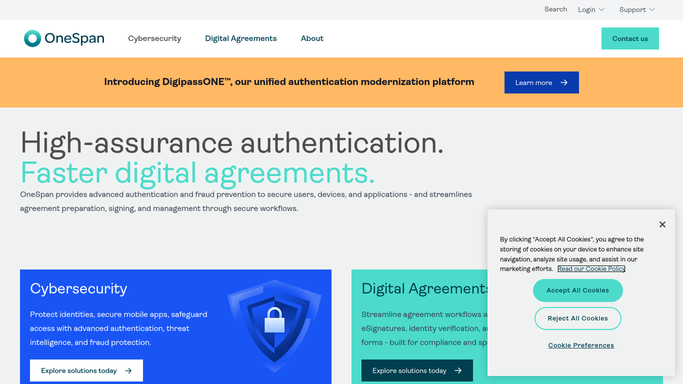
WebRun opens OneSpan Sign to read last week's signing activity. - Sign in to OneSpan Sign and open the transaction list for the last seven days
- Count the transactions sent, completed, declined, and expired
- For completed transactions, record the time between the send date and the final signature
- Note every transaction still awaiting a signature and how many days it has been waiting
- Record the sender for each so the report can be broken down by team member
Done when Last week's transaction counts, signing times, and open items are captured.
-
2
Google Drive - update the audit log sheet
drive.google.com How to Automate Google Drive

WebRun opens Google Drive to update the audit log sheet. - Open the signing audit log sheet in your Google Drive folder
- Append a row for the week with sent, completed, declined, expired, and average days to sign
- Add a breakdown by sender underneath so slow senders are visible
- Leave earlier weeks untouched so the trend stays intact
Done when The audit log has this week's row and the per-sender breakdown.
-
3
WhatsApp - summarise the week for the owner
whatsapp.com How to Automate WhatsApp

WebRun opens WhatsApp to summarise the week for the owner. - Send the account owner a short WhatsApp summary in your internal thread
- Lead with completions, average days to sign, and how both moved against the previous week
- List transactions still awaiting signature that are older than your limit, so someone can follow up
- Leave any reminder to a signer for a person to send
Done when The owner has the week's numbers and the list of stalled transactions.
How is each run configured?
Secure by default
Connect once, stays signed in
WebRun signs in once and keeps each session in a persistent environment, so every run picks up right where it left off.
Every action is checked against this policy before it runs.
Questions, answered
Will it send reminders to signers?
No. WebRun never contacts a signer. It lists the transactions still waiting so a person can decide who to remind and what to say.
Does it send, cancel, or change any transaction?
No. OneSpan Sign is read only in this workflow. Sending, cancelling, or editing a transaction is always done by a person.
Does it move signed documents anywhere?
No. It writes numbers into your audit log sheet only. Signed documents stay in OneSpan Sign, and file uploads are blocked by the run policy.
Related templates
Put this on autopilot.
Turn it on in minutes - or have our team set it up for you.