Capture every oncology no-show and queue a follow-up
Every morning, WebRun opens NextGen, collects all oncology appointments marked no-show or cancelled for the prior day, logs each to a Google Sheet, and queues a draft re-scheduling message for staff to review and send before approving any outreach.
- No credit card
- Under $0.01 per run
- Cancel anytime
How do I automatically track oncology no-shows and queue patient follow-ups in NextGen?
WebRun pulls all oncology no-shows and cancellations from NextGen each morning and logs them to Google Sheets. It drafts a re-scheduling message for each patient but holds every message for staff review and approval before any contact is made, ensuring PHI stays protected and no patient slips through unnoticed.
- No missed oncology appointment goes unnoticed or unaddressed
- Staff start each day with a ready-to-action no-show list
- Patient outreach held for human approval to protect PHI
Built for oncology practice managers · cancer center scheduling teams · oncology care coordinators
What does WebRun do on every run?
The exact actions WebRun takes, in order - in plain language, so you can adjust anything.
-
WebRun signs in and gets to work
Opens
www.nextgen.comin a real browser with your saved login - no setup, no API keys. -
1
NextGen - pull yesterday's no-shows and cancellations
nextgen.com How to Automate NextGen
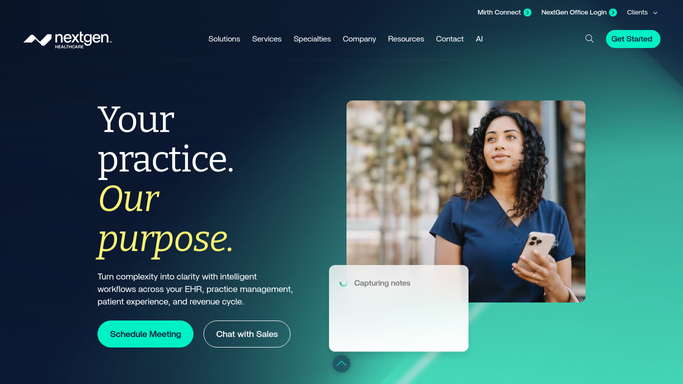
WebRun opens NextGen to pull yesterday's no-shows and cancellations. - Open NextGen and navigate to the appointment schedule for the previous day
- Filter for appointments with a No-Show or Cancelled status
- Capture patient name, MRN, appointment type, provider, and scheduled time for each
- Note if the patient has a critical upcoming treatment date that increases urgency
Done when Every no-show and cancellation from the prior day is identified with patient and appointment details.
-
2
Google Sheets - log no-show report and queue follow-up drafts
google.com How to Automate Google Sheets

WebRun opens Google Sheets to log no-show report and queue follow-up drafts. - Append each no-show to the oncology no-show tracker in Google Sheets
- Draft a re-scheduling outreach message for each patient but do not send it
- Flag messages as 'Pending Staff Review' so no outreach goes out without approval
- Staff review and send approved messages directly from the Sheet workflow
Done when All no-shows are logged and draft outreach messages are queued for staff review.
How is each run configured?
Secure by default
Connect once, stays signed in
WebRun signs in once and keeps each session in a persistent environment, so every run picks up right where it left off.
Every action is checked against this policy before it runs.
Questions, answered
Will it contact patients directly to reschedule?
No. Patient outreach is drafted and held for staff review. Because patient contact involves PHI and must be handled carefully, no message is sent until a staff member approves it.
How does it handle patients with urgent upcoming treatments?
It flags any no-show patient who has a critical upcoming treatment, such as an infusion or chemotherapy session, so staff can prioritize reaching out to those patients first.
What if a patient cancelled with advance notice?
Cancellations are logged separately from same-day no-shows, so your team can see the full picture and decide whether a re-scheduling call or a simple reminder is the right next step.
Related templates
Put this on autopilot.
Turn it on in minutes - or have our team set it up for you.