Surface suspense balances owed to owners
Every Monday, WebRun opens Petrofly, reviews revenue held in suspense, works out the suspense reason and age for each owner, logs every balance to a Google Sheet, and posts the accounting team a Slack list of the suspense balances to clear before they age further.
- No credit card
- Under $0.01 per run
- Cancel anytime
How do I track suspense balances owed to owners automatically?
Every Monday, WebRun opens Petrofly, reviews the revenue held in suspense, and captures the reason, balance, and age for each owner. It logs every held balance to a Google Sheet by reason and posts the accounting team a Slack list of the suspense to clear, oldest and largest first, so owner money does not sit held longer than it should.
- Held owner money is visible every week, not just at audit
- Each balance shows why it is suspended, so the fix is obvious
- Aging suspense gets worked down before it becomes an unclaimed-property risk
Built for oil and gas operators · revenue accountants · upstream producers · royalty owner relations
What does WebRun do on every run?
The exact actions WebRun takes, in order - in plain language, so you can adjust anything.
-
WebRun signs in and gets to work
Opens
petrofly.comin a real browser with your saved login - no setup, no API keys. -
1
Petrofly - review revenue in suspense
petrofly.com How to Automate Petrofly
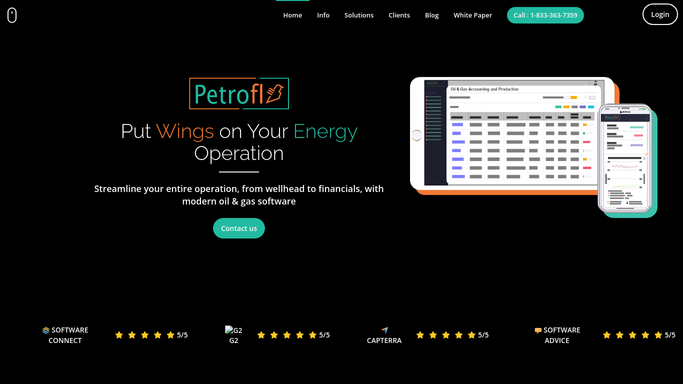
WebRun opens Petrofly to review the revenue held in suspense by owner. - Open Petrofly and review the revenue held in suspense by owner and property
- Capture the suspense reason for each: missing W-9, unconfirmed address, title in dispute, or minimum not met
- Note the balance held and how long it has been in suspense
Done when Every owner in suspense has been captured with a reason, balance, and age.
-
2
Google Sheets - log the suspense balances
google.com How to Automate Google Sheets

WebRun logs each suspense balance and its reason to the tracking sheet. - Open the suspense tracking sheet and add or update a row per owner
- Record the property, suspense reason, balance held, and age in months
- Group the balances by reason so recurring blockers are easy to see
Done when The suspense sheet reflects every held balance with its reason and age.
-
3
Slack - report balances to clear
slack.com How to Automate Slack

WebRun posts the week's suspense balances to clear to the team in Slack. - Post the accounting team a short list of the suspense balances to clear
- Put the oldest and largest balances first with the reason each is held
- Keep it an internal digest for the team to work the suspense down
Done when The team has this week's suspense list in Slack.
How is each run configured?
Secure by default
Connect once, stays signed in
WebRun signs in once and keeps each session in a persistent environment, so every run picks up right where it left off.
Every action is checked against this policy before it runs.
Questions, answered
Does it release any suspended revenue on its own?
No. WebRun only reviews and reports the suspense in Petrofly. It never releases a held balance or pays an owner; the team clears each suspense once the underlying reason is resolved.
Is it safe to auto-post the suspense list to Slack?
Yes. The suspense list is an internal digest for your accounting team, so WebRun posts it to Slack on its own each week. No owner is contacted and no money moves, so there is nothing to approve.
How does it know why each owner is in suspense?
It reads the suspense code and detail in Petrofly for each held balance, so every line shows whether it is a missing W-9, an unconfirmed address, a title dispute, or a below-minimum hold.
Related templates
Put this on autopilot.
Turn it on in minutes - or have our team set it up for you.