Stay ahead of every monthly distribution run deadline
Every morning, WebRun opens Petrofly and Google Calendar, reads where the monthly revenue distribution run stands, works out which close, purchaser, and payment deadlines are approaching, and posts the accounting team a Slack countdown of the steps due next so nothing in the run slips.
- No credit card
- Under $0.01 per run
- Cancel anytime
How do I track monthly revenue distribution run deadlines automatically?
Every morning, WebRun opens Petrofly to read where the monthly revenue distribution run stands and checks the close, purchaser, and payment deadlines on your Google Calendar. It works out days remaining for each step and posts the accounting team a Slack countdown, flagging anything behind first, so no distribution deadline slips.
- The team sees the next run deadline every morning, not the day it is due
- Steps that are behind are flagged before they hold up owner payments
- The monthly distribution run stays on schedule without a manual tracker
Built for oil and gas operators · revenue accountants · upstream producers · accounting teams
What does WebRun do on every run?
The exact actions WebRun takes, in order - in plain language, so you can adjust anything.
-
WebRun signs in and gets to work
Opens
petrofly.comin a real browser with your saved login - no setup, no API keys. -
1
Petrofly - read the distribution run status
petrofly.com How to Automate Petrofly
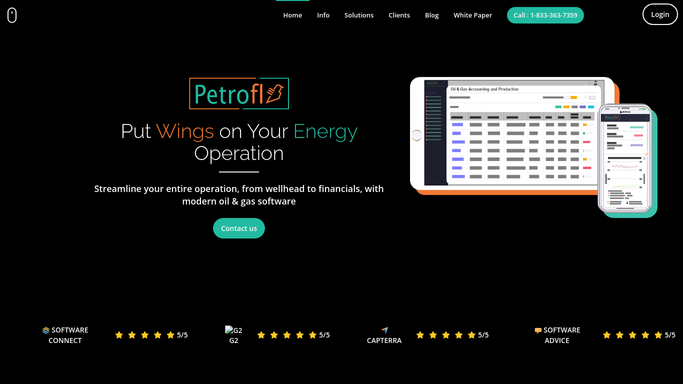
WebRun opens Petrofly to read where the monthly distribution run stands. - Open Petrofly and read the current stage of the monthly revenue distribution run
- Note which steps are done: purchaser revenue booked, expenses allocated, statements ready, payments queued
- Capture any step that is behind where it should be for this point in the month
Done when The status of every step in this month's distribution run has been captured.
-
2
Google Calendar - check the run deadlines
calendar.google.com How to Automate Google Calendar

WebRun reads the month's close and payment deadlines from Google Calendar. - Open the revenue calendar and read the close, purchaser cutoff, and owner payment dates for this month
- Work out how many days remain until each upcoming deadline
- Match each deadline to the distribution run step it depends on
Done when Every upcoming run deadline has a days-remaining count against its step.
-
3
Slack - post the deadline countdown
slack.com How to Automate Slack

WebRun posts the distribution run countdown to the accounting team in Slack. - Post the accounting team a short countdown of the run steps due next with days remaining
- Put the nearest deadline first and flag any step that is already behind
- Keep it to an internal status digest for the team to action
Done when The team has today's distribution run countdown in Slack.
How is each run configured?
Secure by default
Connect once, stays signed in
WebRun signs in once and keeps each session in a persistent environment, so every run picks up right where it left off.
Every action is checked against this policy before it runs.
Questions, answered
Does it change anything in the distribution run?
No. WebRun only reads the run status in Petrofly and the deadlines in your calendar, then posts an internal Slack countdown. It never advances a step or moves a payment; the team decides what to action.
Is it safe to auto-post the countdown to Slack?
Yes. The countdown is an internal status digest for your accounting team, so WebRun posts it to Slack on its own each morning. Nothing goes to owners or purchasers, so there is nothing to approve.
How does it know which step is behind?
It compares where the run stands in Petrofly against the close and payment dates on your revenue calendar, so any step that is late for this point in the month is flagged first in the countdown.
Related templates
Put this on autopilot.
Turn it on in minutes - or have our team set it up for you.