Manage messages on your Odnoklassniki page
Every morning, WebRun opens your Odnoklassniki page, reads new comments, wall posts, and private messages, logs each one as an inquiry in Airtable, and emails you a short summary of who's waiting on a reply.
- No credit card
- Under $0.01 per run
- Cancel anytime
How do I keep track of comments and messages on my Odnoklassniki page?
WebRun checks your Odnoklassniki page every morning, reading new comments, wall posts, and private messages since the last run. It logs each one in Airtable with the sender and topic, flags anything that looks like a sales inquiry, and emails you a short summary, so nothing on your page waits days for a reply.
- Every comment and message gets logged the same morning it arrives
- Sales-shaped inquiries are flagged before they go cold
- No more scrolling the page by hand to see what's new
Built for small businesses · community managers · social media managers · customer support teams
What does WebRun do on every run?
The exact actions WebRun takes, in order - in plain language, so you can adjust anything.
-
WebRun signs in and gets to work
Opens
ok.ruin a real browser with your saved login - no setup, no API keys. -
1
Odnoklassniki - read new comments and messages
ok.ru
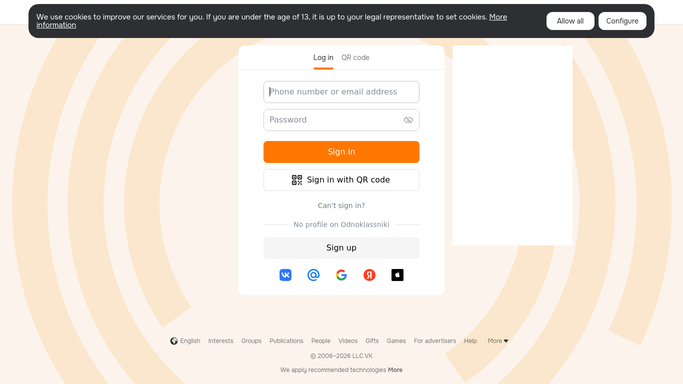
WebRun opens Odnoklassniki to read new comments and messages. - Open your Odnoklassniki page and check the comments and messages tabs
- Collect each new comment, wall post, and private message since the last run
- Note who sent it and what they're asking about
Done when Every new comment and message on the page has been collected.
-
2
Airtable - log each inquiry
airtable.com How to Automate Airtable

WebRun opens Airtable to log each inquiry. - Log each inquiry as a row with sender, message, and where it came from
- Mark whether it looks like a question, a complaint, or a sales lead
- Skip anything already logged from a previous run
Done when Every new inquiry is logged in Airtable with a status.
-
3
Gmail - email you the summary
gmail.com How to Automate Gmail

WebRun opens Gmail to email you the summary. - Draft a short summary email listing today's inquiries and their status
- Send the summary to you only, never to a commenter or customer
- Highlight anything that looks urgent or sales-related
Done when You have this morning's inquiry summary in your inbox.
How is each run configured?
Secure by default
Connect once, stays signed in
WebRun signs in once and keeps each session in a persistent environment, so every run picks up right where it left off.
Every action is checked against this policy before it runs.
Questions, answered
Will WebRun reply to comments or messages for me?
No. It only reads and logs them. Replying on your Odnoklassniki page is public and stays a manual, human step.
Does it email anyone who commented on my page?
No. The summary email goes only to you. WebRun never emails or messages a follower or commenter on its own.
What happens to inquiries from earlier days?
Airtable keeps every past entry, and each run skips anything already logged, so your summary only ever shows what's new.
Related templates
Put this on autopilot.
Turn it on in minutes - or have our team set it up for you.