Track detention and demurrage risk before charges mount
Every morning, WebRun opens Terminal49, identifies containers within 48 hours of or past their last free day, estimates accruing demurrage and detention charges, logs all at-risk containers to a Google Sheet, and posts a prioritized risk digest to Slack.
- No credit card
- Under $0.01 per run
- Cancel anytime
How do I automatically track demurrage and detention risk across all my ocean freight containers?
WebRun checks Terminal49 every morning for containers approaching or past their last free day, estimates accruing demurrage and detention charges, and logs all at-risk containers to a Google Sheet. It then posts a ranked Slack digest showing critical containers first and the day's total charge exposure so your team can act before fees compound.
- At-risk containers are surfaced before 9 AM every day so your team can schedule pickups in time
- Total demurrage and detention exposure is visible in one Slack message without manual port lookups
- Historical risk register lets you see patterns by carrier or terminal and negotiate better free-time terms
Built for ocean freight importers · logistics operations managers · customs brokers · freight forwarders
What does WebRun do on every run?
The exact actions WebRun takes, in order - in plain language, so you can adjust anything.
-
WebRun signs in and gets to work
Opens
app.terminal49.comin a real browser with your saved login - no setup, no API keys. -
1
Terminal49 - identify at-risk containers near last free day
terminal49.com How to Automate Terminal49
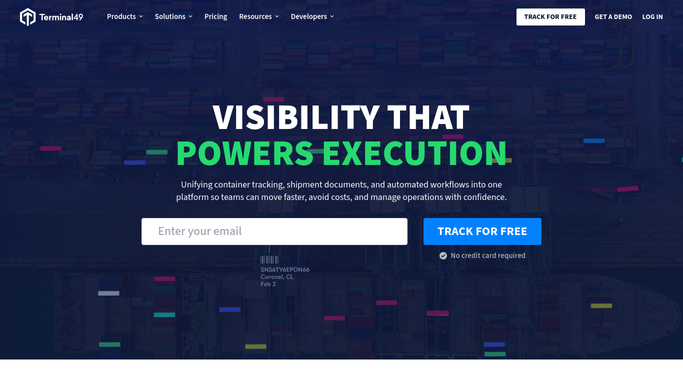
WebRun opens Terminal49 to identify at-risk containers near last free day. - Open Terminal49 and navigate to the container or shipment list
- Filter for active containers not yet returned empty, checking the last free day field for each
- Flag containers whose LFD is today, tomorrow, or already past
- Capture container number, B/L, carrier, terminal, LFD, current milestone, and hold status
Done when Every container within 48 hours of or past its last free day is listed with its terminal and hold details.
-
2
Google Sheets - log demurrage and detention risk register
google.com How to Automate Google Sheets

WebRun opens Google Sheets to log demurrage and detention risk register. - Open the Demurrage and Detention Risk register sheet
- Upsert each at-risk container row: container number, carrier, terminal, LFD, days into free time or demurrage, and estimated daily charge
- Mark containers as critical if LFD has already passed, at-risk if within 48 hours, and monitor if within 5 days
- Preserve historical rows so charge accrual can be reviewed over time
Done when The risk register is updated with all at-risk containers, their status tier, and estimated charges.
-
3
Slack - post daily risk digest to ops channel
slack.com How to Automate Slack

WebRun opens Slack to post daily risk digest to ops channel. - Post a digest to the freight ops Slack channel listing critical containers first, then at-risk
- Include container number, terminal, LFD, days past free time, and estimated accruing charges for each
- Add a count of total containers at risk and the combined estimated exposure in dollars
Done when The ops team has a ranked Slack list of containers with demurrage or detention exposure and the day's total charge estimate.
How is each run configured?
Secure by default
Connect once, stays signed in
WebRun signs in once and keeps each session in a persistent environment, so every run picks up right where it left off.
Every action is checked against this policy before it runs.
Questions, answered
Will it contact the carrier or terminal to dispute charges automatically?
No. WebRun only tracks and surfaces the risk. All carrier contact, dispute filings, or pickup scheduling are handled by your team after reviewing the digest.
How accurate are the estimated charge amounts?
Estimates are calculated from the per-diem rates you configure and the days elapsed past free time as reported by Terminal49. Actual invoiced amounts may vary by carrier contract terms.
What if a container is returned and the demurrage clock stops?
Terminal49 is checked live each morning. Containers with an empty-returned milestone are excluded from that day's risk register automatically.
Related templates
Put this on autopilot.
Turn it on in minutes - or have our team set it up for you.