Know which devices are covered and when cover runs out
Once a month, WebRun signs in to your Norton account, reads the devices attached to each subscription, how many seats are used and spare, and when each subscription renews. It writes a row per device into Airtable and posts a short summary to Microsoft Teams whenever seats are full or a renewal falls inside the next 30 days.
- No credit card
- Under $0.01 per run
- Cancel anytime
How do I keep track of which devices my Norton subscription covers?
WebRun signs in to your Norton account once a month and reads every protected device, the seats used and spare on each subscription, and the renewal dates. It records the inventory in Airtable and posts a Microsoft Teams summary whenever seats are full, a renewal is near, or a device has stopped checking in.
- Renewals are known 30 days out instead of the day cover lapses
- Unused seats are reclaimed rather than quietly paid for
- Every device has a dated record in Airtable
Built for small IT teams · office managers · managed service providers · family plan owners
What does WebRun do on every run?
The exact actions WebRun takes, in order - in plain language, so you can adjust anything.
-
WebRun signs in and gets to work
Opens
my.norton.comin a real browser with your saved login - no setup, no API keys. -
1
Norton - read devices, seats, and renewal dates
norton.com
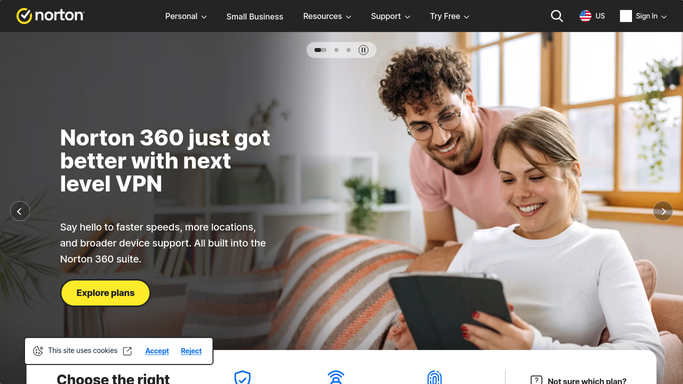
WebRun opens Norton to read devices, seats, and renewal dates. - Sign in to your Norton account and open the devices view
- List every protected device with its name, type, and last seen date
- Read each subscription: seats used, seats spare, and the renewal date
- Note any device that has not checked in for 30 days. Never change a protection setting or remove a device
Done when Every device and subscription is listed with seats and renewal dates.
-
2
Airtable - record the device inventory
airtable.com How to Automate Airtable

WebRun opens Airtable to record the device inventory. - Open the IT asset base in Airtable and add this month's device rows
- Record device name, type, subscription, last seen date, and the person it belongs to
- Mark devices that have not checked in for 30 days as needing a look
- Update the seats used and seats spare figure per subscription
Done when This month's device inventory is written to Airtable.
-
3
Microsoft Teams - post the coverage summary
microsoft.com How to Automate Microsoft Teams

WebRun opens Microsoft Teams to post the coverage summary. - Post the monthly coverage summary to your IT channel in Microsoft Teams
- Lead with any subscription that has no spare seats or renews within 30 days
- List devices that have gone quiet so someone can check whether they are still in use
- Leave any purchase or renewal decision to a human. WebRun never buys or renews anything
Done when The IT channel has this month's coverage and renewal summary.
How is each run configured?
Secure by default
Connect once, stays signed in
WebRun signs in once and keeps each session in a persistent environment, so every run picks up right where it left off.
Every action is checked against this policy before it runs.
Questions, answered
Will it renew my subscription or buy extra seats?
No. WebRun never buys, renews, or cancels anything, and never enters payment details. It reports that a renewal is close or that seats are full, and a human makes the purchase decision.
Does it change any security settings?
No. This run is read-only inside your Norton account. It never turns a protection feature on or off, removes a device, or changes a setting of any kind.
Why does it flag devices that have not checked in?
A device that has not reported for 30 days is often lost, retired, or switched off, which means you are paying for a seat that protects nothing. The list makes those easy to reclaim.
Related templates
Put this on autopilot.
Turn it on in minutes - or have our team set it up for you.