Grow 5-star reviews after every visit
Every evening, WebRun opens Booksy to find appointments completed that day, drafts a personalized review request for each client to post on their Google Business profile, checks for any new reviews that arrived, and sends the team a Slack summary of requests drafted and reviews received.
- No credit card
- Under $0.01 per run
- Cancel anytime
How do I automatically request Google reviews after nail salon appointments?
Every evening, WebRun finds completed appointments in Booksy, drafts personalized review request messages for each client, and monitors Google Business for new reviews. The team gets a Slack digest of drafts prepared and any new feedback, with low-star reviews flagged for an immediate owner response.
- Review requests go out after every visit instead of being forgotten in a busy day
- Low-star reviews are flagged in Slack within hours so the owner can respond fast
- Repeat review requests to the same client are prevented automatically
Built for nail salon owners · salon managers · nail technicians · beauty business owners
What does WebRun do on every run?
The exact actions WebRun takes, in order - in plain language, so you can adjust anything.
-
WebRun signs in and gets to work
Opens
booksy.comin a real browser with your saved login - no setup, no API keys. -
1
Booksy - find today's completed appointments
booksy.com
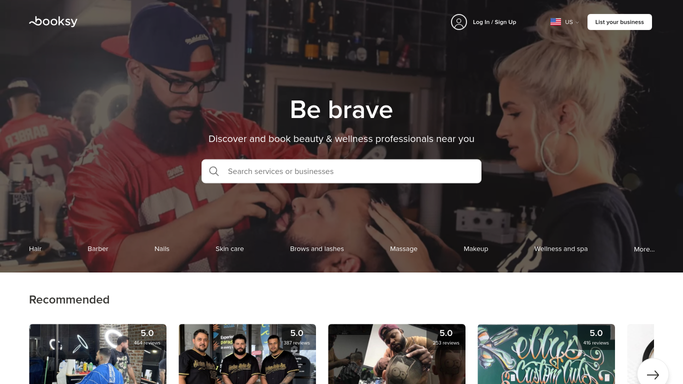
WebRun opens Booksy to find today's completed appointments. - Open Booksy and filter appointments to those completed today
- Capture the client name, service received, and technician for each
- Exclude clients who have already been sent a review request in the last 90 days
Done when Every client whose appointment was completed today is listed and ready for a review request.
-
2
Google Business - draft review requests and check new reviews
business.google.com How to Automate Google Business

WebRun opens Google Business to draft review requests and check new reviews. - Open Google Business and check for any new reviews posted since yesterday
- Draft a personalized review request message for each of today's completed clients
- Leave the review requests as drafts for the team to send via their preferred channel. Do not send automatically
Done when New reviews are noted and a draft review request exists for every completed appointment today.
-
3
Slack - post daily review summary
slack.com How to Automate Slack

WebRun opens Slack to post daily review summary. - Post a daily Slack summary with the number of review requests drafted
- Include any new Google reviews with the star rating and a short excerpt
- Flag any reviews below 4 stars so the owner can respond promptly
Done when The team has a Slack digest of today's review requests drafted and any new reviews received.
How is each run configured?
Secure by default
Connect once, stays signed in
WebRun signs in once and keeps each session in a persistent environment, so every run picks up right where it left off.
Every action is checked against this policy before it runs.
Questions, answered
Will it send review requests to clients automatically?
No. WebRun drafts each review request and surfaces them in Slack for your team to send. No message goes to a client without your action, so you keep full control over client-facing outreach.
How does it avoid sending a client the same request twice?
WebRun tracks clients who have already received a review request within the past 90 days and skips them automatically, so no client is contacted more than once per period.
Will it alert me if a bad review comes in?
Yes. WebRun flags any new Google Business review below 4 stars in the Slack digest so you can respond promptly and address any concerns before they affect your rating.
Related templates
Put this on autopilot.
Turn it on in minutes - or have our team set it up for you.