Remind clients to use their package credits before they expire
Every morning, WebRun opens Mangomint, finds clients with packages or prepaid credits expiring within 30 days, drafts a personalized reminder for each client to book before they lose their credits, and posts the queue to Slack for your team to review before sending.
- No credit card
- Under $0.01 per run
- Cancel anytime
How do I automatically remind med spa clients about expiring package credits?
WebRun checks Mangomint every morning for clients with packages or prepaid credits expiring within 30 days. It drafts a personalized reminder for each client in Gmail and posts the queue to Slack sorted by urgency. Your team reviews and approves each message before it reaches any client.
- Clients are reminded of expiring credits before they lapse, protecting prepaid revenue
- High-urgency credits expiring within 7 days are flagged separately for priority outreach
- Clients who already have a booking are excluded so staff only contact those with genuine gaps
Built for med spas · aesthetic clinics · laser and skincare practices · medical beauty businesses with prepaid packages
What does WebRun do on every run?
The exact actions WebRun takes, in order - in plain language, so you can adjust anything.
-
WebRun signs in and gets to work
Opens
app.mangomint.comin a real browser with your saved login - no setup, no API keys. -
1
Mangomint - find clients with expiring packages or credits
mangomint.com How to Automate Mangomint
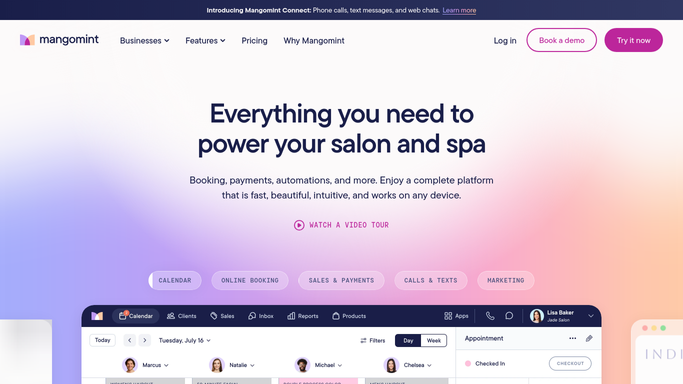
WebRun opens Mangomint to find clients with expiring packages or credits. - Open Mangomint and filter client accounts for packages or prepaid credits expiring within the next 30 days
- Capture each client's name, package or credit type, remaining balance, and expiry date
- Skip clients who already have a future appointment booked using their credits
Done when Every client with expiring credits or packages is listed with their balance and expiry date.
-
2
Gmail - draft expiry reminder messages
gmail.com How to Automate Gmail

WebRun opens Gmail to draft expiry reminder messages. - Draft a friendly, urgency-appropriate reminder for each client naming their specific package or credit and the expiry date
- Include a booking call-to-action and the number of credits remaining
- Save all drafts unsent for team review, with drafts for credits expiring in under 7 days marked as high priority
Done when Personalized expiry reminder drafts are saved in Gmail, none sent yet.
-
3
Slack - post reminder queue for team review
slack.com How to Automate Slack

WebRun opens Slack to post reminder queue for team review. - Post the expiring credits list to the front desk channel, sorted by expiry date with the most urgent first
- Flag clients with credits expiring in fewer than 7 days for priority handling
- Note the Gmail drafts ready for approval
Done when Front desk has the expiring credits queue and can approve reminders before sending.
How is each run configured?
Secure by default
Connect once, stays signed in
WebRun signs in once and keeps each session in a persistent environment, so every run picks up right where it left off.
Every action is checked against this policy before it runs.
Questions, answered
Will it send expiry reminders to clients without someone reviewing them first?
No. Every reminder is saved as a Gmail draft for your team to review and approve. Nothing reaches a client until a staff member confirms the message is ready to send.
What if a client already has an appointment booked using their credits?
WebRun checks Mangomint for existing bookings against each client's credit balance before drafting a reminder. Clients who already have an appointment are excluded automatically.
Can it handle different credit types, such as treatment packages versus dollar credits?
Yes. WebRun reads the credit or package type from Mangomint and references the specific type in the draft, so each client receives an accurate message about what they have remaining.
Related templates
Put this on autopilot.
Turn it on in minutes - or have our team set it up for you.