See every Malwarebytes detection in one daily post
Every morning, WebRun opens Malwarebytes, reviews malware and potentially unwanted program detections found across your endpoints in the last day, posts a summary to Slack, and mirrors a short version to Telegram.
- No credit card
- Under $0.01 per run
- Cancel anytime
How do I see every Malwarebytes detection across my devices in one place each day?
WebRun reviews Malwarebytes every morning for malware and potentially unwanted program detections found across your endpoints in the last day, posts a digest by device and type to Slack, and mirrors a short version to Telegram. It never removes a detected item itself, only reports what Malwarebytes already found and quarantined.
- Detections are summarized by device before the workday starts
- Repeat-flagged devices stand out instead of blending into the noise
- The digest lands in two channels so it's hard to miss
Built for IT admins · managed service providers · small business owners · security teams
What does WebRun do on every run?
The exact actions WebRun takes, in order - in plain language, so you can adjust anything.
-
WebRun signs in and gets to work
Opens
my.malwarebytes.comin a real browser with your saved login - no setup, no API keys. -
1
Malwarebytes - review detections
malwarebytes.com
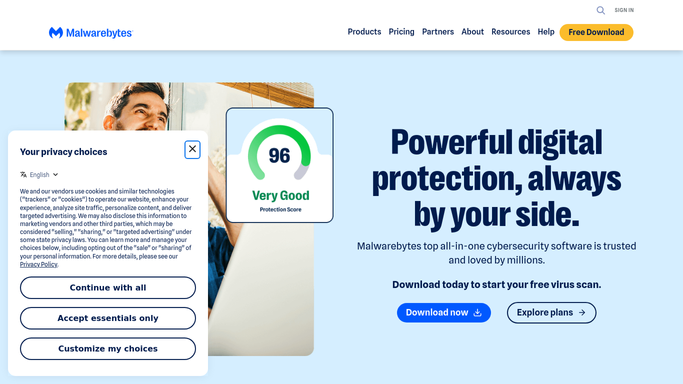
WebRun opens Malwarebytes to review detections. - Open Malwarebytes and review detections from the last 24 hours
- Separate malware from potentially unwanted programs and adware
- Note the device and quarantine status for each
Done when The last day's detections are listed by type and device.
-
2
Slack - post the digest
slack.com How to Automate Slack

WebRun opens Slack to post the digest. - Post the day's detection digest to the IT channel in Slack
- Group counts by malware, PUP, and adware
- Flag any device with a repeat detection this week
Done when The Slack channel has today's detection digest.
-
3
Telegram - mirror the digest
telegram.org How to Automate Telegram

WebRun opens Telegram to mirror the digest. - Send a short mirror of the same digest to the Telegram channel
- Keep it to totals and any repeat-flagged device
- Skip sending anything on days with zero detections
Done when The Telegram channel has today's short digest, when there is one to send.
How is each run configured?
Secure by default
Connect once, stays signed in
WebRun signs in once and keeps each session in a persistent environment, so every run picks up right where it left off.
Every action is checked against this policy before it runs.
Questions, answered
Does WebRun remove the detected items itself?
No. WebRun only reports what Malwarebytes already found and quarantined. Any further cleanup is a manual step for your IT team.
Why post to both Slack and Telegram?
So the digest reaches wherever your team actually looks first. Both get the same information, just in different channels.
What happens on a day with no detections?
Slack still gets a quick all-clear post, but Telegram stays quiet, so the mirror channel only pings for something worth seeing.
Related templates
Put this on autopilot.
Turn it on in minutes - or have our team set it up for you.