Track new Ledger hardware wallet setups for your team
When your team starts setting up a new Ledger hardware wallet, WebRun reads Ledger Live for the checklist status you and your teammate report back, such as authenticity check, firmware version, and backup confirmation, updates a Trello card as each step is completed, and posts a status update to Microsoft Teams so the whole team knows a device is ready for use.
- No credit card
- Under $0.01 per run
- Cancel anytime
How do I track my team's Ledger hardware wallet setup checklist?
WebRun tracks a new Ledger hardware wallet through your team's setup checklist, reading Ledger Live for status like firmware version and device authenticity, then updating a Trello card as each step is confirmed complete. It posts progress to Microsoft Teams so the whole team can see what is done, all without ever touching a seed phrase, private key, or transaction.
- Every new hardware wallet follows the same checklist instead of an ad hoc process
- The team channel always shows exactly which setup steps are still outstanding
- No key material is ever read, stored, or handled by the automation
Built for crypto treasury teams · operations managers · DAOs · finance teams holding crypto
What does WebRun do on every run?
The exact actions WebRun takes, in order - in plain language, so you can adjust anything.
-
WebRun signs in and gets to work
Opens
www.ledger.comin a real browser with your saved login - no setup, no API keys. -
1
Ledger - check setup status in Ledger Live
ledger.com
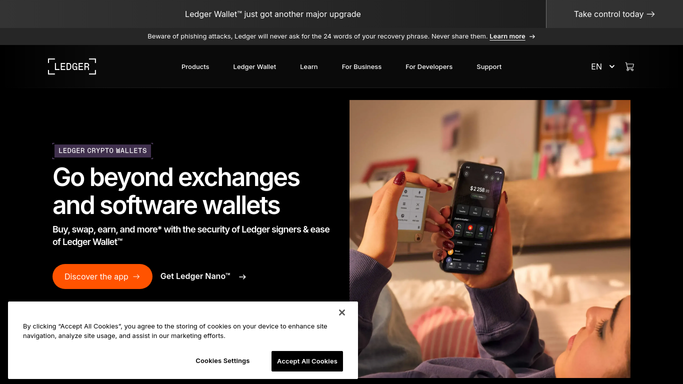
WebRun opens Ledger Live to check setup status. - Open Ledger Live and read the connected device's name, firmware version, and installed apps
- Confirm the device shows as genuine through Ledger Live's own authenticity check
- Note whether a backup has been confirmed as completed by the team member setting it up
Done when The device's authenticity, firmware, and backup-confirmed status are all captured.
-
2
Trello - update the setup checklist card
trello.com How to Automate Trello

WebRun opens Trello to update the setup checklist card. - Open the device's card on the Wallet Onboarding board
- Check off each checklist item that is now confirmed complete
- Move the card to Ready once every item is checked
Done when The Trello card reflects exactly which setup steps are done and which remain.
-
3
Microsoft Teams - post the readiness status
microsoft.com How to Automate Microsoft Teams

WebRun opens Microsoft Teams to post the readiness status. - Post an update naming the device and which checklist items are still outstanding
- Post a separate message when a device card moves to Ready
- Tag the teammate responsible for any step still open
Done when The team channel reflects today's setup progress and who owns what is left.
How is each run configured?
Secure by default
Connect once, stays signed in
WebRun signs in once and keeps each session in a persistent environment, so every run picks up right where it left off.
Every action is checked against this policy before it runs.
Questions, answered
Does WebRun ever see or handle a seed phrase or private key?
No, and it never will. WebRun only reads status information that Ledger Live shows, such as firmware version and device name, and reads back whether your team confirmed the backup step themselves. It never touches key material.
Does WebRun generate the wallet or approve any transaction?
No. Setting up the device, generating keys, and confirming any transaction happens entirely on the physical Ledger device by a human. WebRun only tracks checklist progress and never moves funds or assets.
What if a checklist step cannot be verified automatically?
It is left unchecked until a teammate confirms it, such as the physical backup step, which only a human can genuinely verify was done correctly.
Related templates
Put this on autopilot.
Turn it on in minutes - or have our team set it up for you.