Get your portfolio rent roll without the spreadsheet grind
Every month, WebRun opens Occupier, pulls every active lease across the portfolio with its base rent, current escalation, and term end date, writes the full rent roll to a Google Sheet, holds a calendar reminder for leases ending within the next year, and posts your team a Slack summary of total occupancy cost and what's expiring soon.
- No credit card
- Under $0.01 per run
- Cancel anytime
How do I generate a portfolio rent roll from my lease data?
Every month, WebRun opens Occupier and pulls every active lease's base rent, escalation, and term end date across the portfolio. It writes the full rent roll to Google Sheets, holds a calendar reminder for anything expiring within a year, and posts your team a Slack summary of total occupancy cost, so leadership sees the portfolio without touching a spreadsheet.
- Leadership gets a current rent roll without logging into Occupier
- Leases expiring within a year get a standing calendar reminder
- Total occupancy cost is visible in one Slack summary every month
Built for lease administrators · corporate real estate teams · finance leadership · portfolio managers
What does WebRun do on every run?
The exact actions WebRun takes, in order - in plain language, so you can adjust anything.
-
WebRun signs in and gets to work
Opens
occupier.comin a real browser with your saved login - no setup, no API keys. -
1
Occupier - pull every active lease's terms
occupier.com How to Automate Occupier
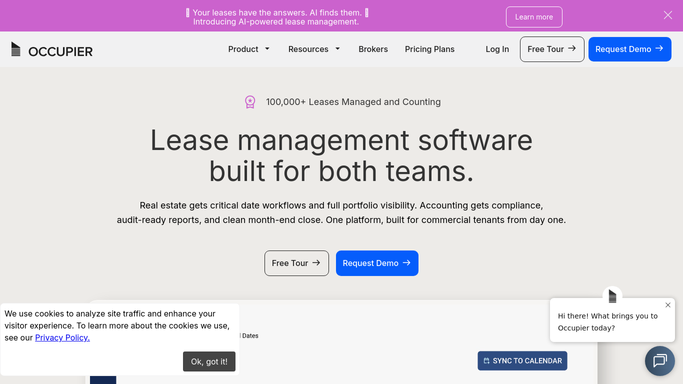
WebRun opens Occupier to pull every active lease's terms. - Open Occupier and pull every active lease across the portfolio
- Capture the location, base rent, current escalation, square footage, and term end date for each
- Flag any lease with a term end date in the next 12 months
Done when Every active lease's core terms are captured for this month's rent roll.
-
2
Google Sheets - write the full rent roll
google.com How to Automate Google Sheets

WebRun opens Google Sheets to write the full rent roll. - Open the Portfolio Rent Roll sheet and refresh it with this month's data
- Write one row per lease with location, base rent, escalation, square footage, and term end date
- Sort by term end date so expiring leases are easy to find
Done when The rent roll sheet reflects every active lease as of this month, sorted by term end date.
-
3
Google Calendar - hold reminders for leases expiring soon
calendar.google.com How to Automate Google Calendar

WebRun opens Google Calendar to hold reminders for leases expiring soon. - Hold a reminder for any lease with a term end date in the next 12 months that doesn't already have one
- Title each hold with the location and term end date
Done when Every lease expiring within 12 months has a calendar reminder.
-
4
Slack - post the portfolio summary
slack.com How to Automate Slack

WebRun opens Slack to post the portfolio summary. - Post a summary of total occupied square footage and total monthly base rent across the portfolio
- Call out how many leases expire in the next 12 months
- Link to the full rent roll Google Sheet
Done when The team has this month's portfolio summary in Slack.
How is each run configured?
Secure by default
Connect once, stays signed in
WebRun signs in once and keeps each session in a persistent environment, so every run picks up right where it left off.
Every action is checked against this policy before it runs.
Questions, answered
Does it replace our lease abstracts in Occupier?
No. It reads the terms already abstracted in Occupier and reshapes them into a rent roll. Occupier stays the system of record, the sheet is a reporting view.
How current is the rent roll?
It refreshes monthly from live Occupier data, so escalations, renewals, and terminations recorded during the month show up in the next run.
Can leadership see this without logging into Occupier?
Yes. That's the point: the Google Sheet and Slack summary give leadership the portfolio view without needing an Occupier login of their own.
Related templates
Put this on autopilot.
Turn it on in minutes - or have our team set it up for you.